OpenAI's Agents API vs Decisions API for Marketers: When to Reach for Which (and Where Each One Fits in Your Stack)
Contents
OpenAI shipped two APIs this fall that look similar from across the room but solve very different problems. The Agents API went into public beta on September 10, 2026. The Decisions API followed three weeks later as a limited preview at DevDay on September 29. If you build marketing automation — campaign QA, lead routing, content moderation, ad creative selection — you now have two new shapes of tool to plug in. Here is how I read them after a week of poking at each, and where each one earns a slot in a real marketing stack.
The one-sentence distinction
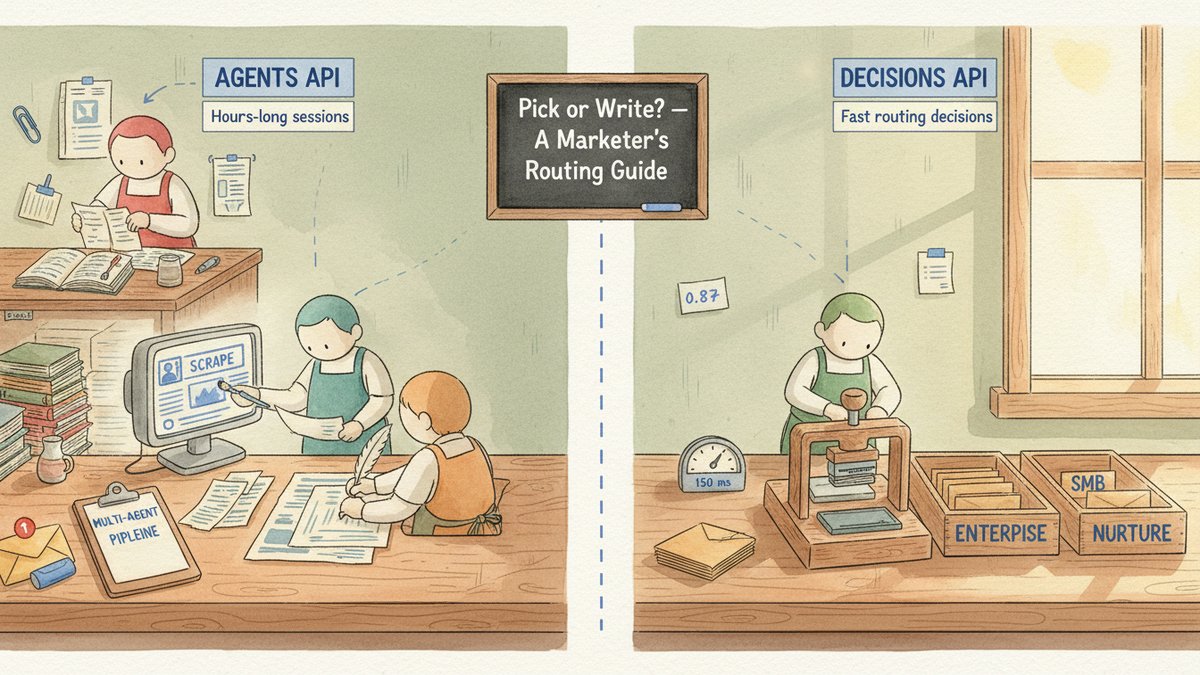
The Agents API runs long, multi-step cloud work. The Decisions API picks one answer from a list you define. If your job needs a paragraph, a tool call, or a sub-agent — that's the Agents API. If your job needs a label, a queue, or a yes/no — that's the Decisions API. Everything else is details.
What the Agents API actually gives you
The Agents API is OpenAI's "let us run the harness for you." Under the hood it is the same Codex harness that powers ChatGPT Work and Codex itself, but wrapped in an API call you control. You supply the task, the model, the tools, and the environment; OpenAI handles context management, compaction, tool search, programmatic tool calling, and parallel sub-agents.
Three pieces matter for marketers:
- It can run for hours, not minutes. Sessions get automatic context compaction as they approach the model's context limit. A competitive-intel sweep that scrapes 50 competitor sites, summarizes each, and writes a PDF can run unattended on a Tuesday afternoon and Slack you when it's done.
- Sub-agents work in parallel. A single Agents API call can fan out to multiple sub-agents (each with its own context) and recombine results. That is the same shape as the multi-agent competitive intel pipeline I have been running in n8n — except now OpenAI runs the orchestration.
- You pick the sandbox. OpenAI-hosted sandbox, self-hosted, or a partner (Blaxel, Cloudflare, Daytona, DigitalOcean, E2B, Modal, Oracle, Runloop, Vercel). For marketers handling customer PII (Personally Identifiable Information) or proprietary ad-account data, self-hosting on your own VPC (Virtual Private Cloud — your private slice of a cloud provider) changes the data-residency conversation.
Pricing is the simple bit: no additional Agents API fee. You pay for the tokens and tool calls your agent uses, at the standard model rates. The Agents API is essentially a free upgrade to anyone already running GPT-6 Sol or GPT-6 Astra.
The first code shape I would copy from the launch post is the multi-agent block:
json"agent": {
  "model": "gpt-6-astra",
  "multi_agent": {
    "enabled": true,
    "max_concurrent_subagents": 3
  }
}
That three-line addition is the difference between a chatbot that reads ten competitor homepages in series and a coordinator that splits the work three ways.
What the Decisions API actually gives you
The Decisions API is the opposite shape. You define the question and the finite set of acceptable answers; the model returns one of them plus a confidence score. The OpenAI materials name Luna as the underlying model, but they do not publish a versioned model ID, endpoint, or rate card — OpenAI has said pricing will land at broad rollout. Treat any third-party "per-decision cost" number as inference.
What is real: it returns a constrained answer in roughly 150 ms, accepts text or images as input, and is built for classification, routing, and "what should this agent do next" decisions. The contrast with TypeSafe's Jev (covered earlier this month in #195) is real but small — both APIs return a typed answer with a probability attached. Jev exposes the schema as primitives (Choice, Score, Noul); Decisions API exposes it as the answer set you define. If you are already on OpenAI, the Decisions API is the obvious pick. If you want the schema to be the contract, Jev is the more disciplined option.
The shape that matters most for marketers is the routing decision. A support ticket comes in: which of five queues should it go to? A new lead fills out the demo form: route to SMB (small-and-medium business) self-serve, enterprise sales, or nurture? A user-generated image (UGC) comment lands on your Meta ad: keep, hide, or escalate? All three of those are Decisions API jobs. None of them need a 600-token essay — they need one label and a confidence.
A side-by-side for the marketing stack
| Job | Agents API | Decisions API |
|---|---|---|
| Daily Meta Ad Library sweep across 30 competitors → Slack brief | Yes — multi-agent research, hours-long session, file output | No — wrong shape, needs synthesis not a label |
| Inbound demo form → route to SMB / enterprise / nurture | Overkill — needs a single routing label, not an agent session | Yes — define the three queues, send form data, take the answer |
| UGC comment moderation: safe / review / remove | Overkill — does not need tool calls or context compaction | Yes — image + text in, one of three labels out |
| Pre-publish campaign QA (12-rule scorecard on a Meta ad set) | Yes — needs to read 200 ads, score each, write a fix list | Partial — could score each ad, but cannot write the fix list |
| A/B test winner pick: ship_a / ship_b / wait | Yes if you want the agent to also write the next brief | Yes if you only want the pick + confidence |
| Daily Reddit monitor across 9 subreddits → Slack digest | Yes — needs synthesis across threads, citations, formatting | No — wrong shape |
The third row is the one I am most excited about. A decision API turns moderation from "open a GPT-6 chat session and write a careful prompt for each comment" into "send image + comment text, receive one of {safe, review, remove}, fall back to human on low confidence." That collapses a moderation queue that costs a full-time contractor into something a marketer can run in-house — and it pairs naturally with the UGC comment moderation triage workflow I have been running for two years.
A note on what the Decisions API does *not* fix
A constrained answer space makes integration simpler — the caller knows every permitted value, can reject unknown answers, attach permission levels to each branch, and fall back to a human when confidence is low. But a constrained model can still pick the wrong valid answer, still inherits bias from your category labels, and still hallucinates context you did not give it. The Decisions API is not a compliance officer; it is a fast typist with a rubric. Keep a human in the loop for anything where wrong answers cost more than the time you save.
How I am wiring both into my stack
For the past week, I have been running a small Agents API job in the same slot where I previously used n8n + Claude: a daily sweep of three competitor sites, three competitor ad libraries, and three competitor LinkedIn pages, with the brief landing in Slack by 9 a.m. local. It replaced four separate workflows in n8n with one Agents API call and a multi_agent block. Token cost was the only real spend.
For the Decisions API, I am holding off until OpenAI publishes the rate card. The shape is exactly what I want for inbound lead routing — I run something close to that today in Make.com with Gemini as the brain (see my 4-agent lead routing write-up) — and the Decisions API would cut the latency meaningfully once the pricing is sane. If it lands around the $0.10–$0.30 per million tokens Luna range, I will move half the routing volume over.
The routing principle
Use the Agents API when the job has tool calls, file output, multi-step reasoning, or sub-agent parallelism. Use the Decisions API when the job has a fixed answer set and a wrong answer is cheap. When you cannot tell which one a job belongs to, ask one question: "Does this task need to write something, or does it need to pick something?" Writing is the Agents API. Picking is the Decisions API. That single filter resolved every job in the table above before I had to think about it.
Both APIs are still new. The Agents API is in public beta with rapid iteration; the Decisions API is in limited preview without a published rate card. Treat the Agents API as production-ready for non-customer-facing work, and the Decisions API as a developer preview worth prototyping against this week so you are first in line when broad rollout lands.