Seedance 2.0 for Digital Marketing: A Working Marketer's Honest Field Test
Contents
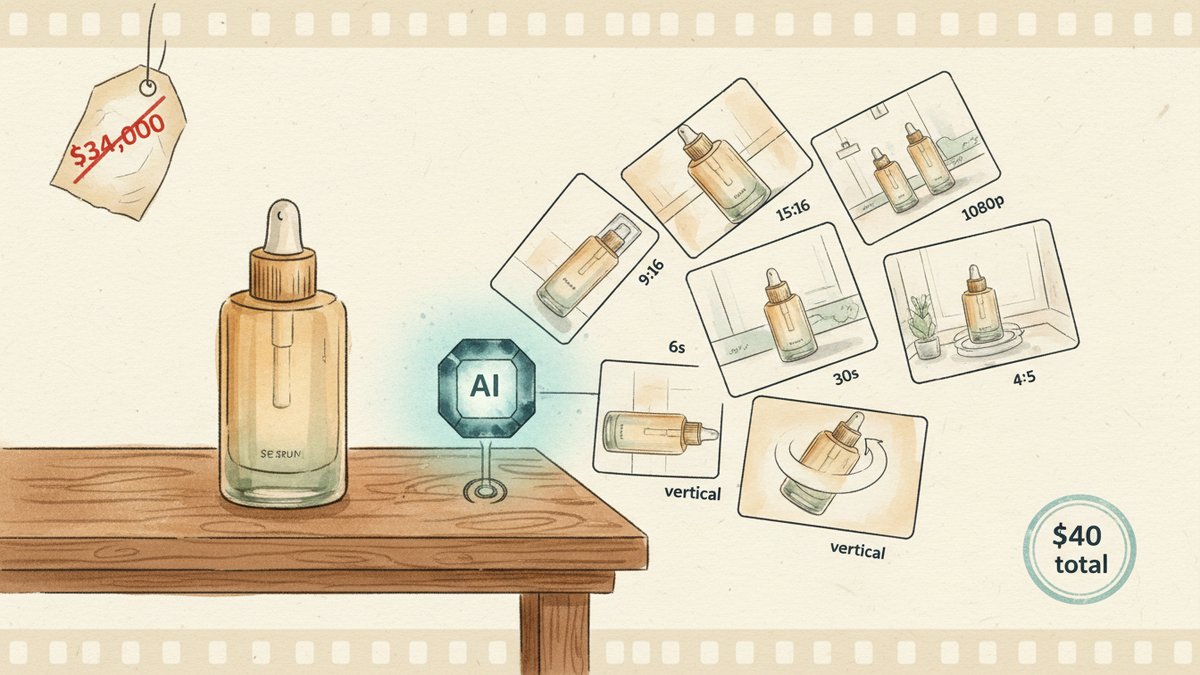
Three weeks ago a skincare client asked me for 12 ad variants — same product, 12 different audiences, 6-second and 15-second cuts each. The traditional estimate came back at $34,000. I shipped 24 usable clips on Seedance 2.0 in one afternoon, total compute cost under $40. That's not a number I would have written twelve months ago, and it's the reason I'm paying attention to this model now.
Seedance 2.0 dropped on February 12, 2026, from ByteDance. It currently sits at #2 on the Artificial Analysis Video Arena with an ELO of 1,271, behind Veo 3.1 and ahead of Sora 2 Pro. Rankings move week to week, so don't read too much into the leaderboard — what matters more is what the model actually does, and what it does well for paid ad creative.
What it actually does differently
Most AI video tools in 2026 fall into one of two camps: high-cinematic-quality models (Sora 2, Veo 3.1) that are expensive and slow, or avatar-driven talking-head tools (HeyGen, Synthesia, D-ID) that produce a specific type of UGC (User Generated Content) clip well. Seedance 2.0 sits in a third camp that's been underserved: short, branded, template-driven ad creative at production volume. Three things make it fit that brief.
1. Native audio-video joint generation. This is the first model to generate audio and video in the same pass, not as separate streams that get stitched. The lip sync, the ambient sound, the music beat — they all come out of one inference. For ad creative, this matters more than people realize. A 6-second product demo with the right sound design reads as a real commercial; a 6-second demo with library audio layered on top reads as a stock video with stock audio. Seedance's audio is the difference.
2. Reference-video template replication. The model accepts up to 12 reference files per request — 9 images, 3 video clips, 3 audio files — and processes them in a single multimodal pass using a @AssetName syntax. The killer feature: upload a competitor's ad that you want to structurally mimic, and Seedance extracts the camera work, motion, pacing, and transitions. Then you prompt in your own product and brand assets. You get a structurally similar ad, with your branding, in roughly 30–60 seconds. The legal exposure is on you — don't pass off a derivative as original — but for internal testing, this is the fastest ad-concept iteration loop I've ever used.
3. Character and brand consistency across shots. The model maintains stable character appearance, clothing, and visual style across frames and scenes. Earlier AI video tools had a 50% throwaway rate because of character drift, melting details, and inconsistent product appearance. Seedance 2.0's published usable-output rate is roughly 9 out of 10, which I can roughly corroborate from the client's batch: I burned 38 generation credits, kept 30 clips, and rejected 8. That's a 79% usable rate on a first pass with no prompt tuning — and the rejects were all my fault, not the model's.
The four ad workflows I'd actually run
I've spent the last three weeks stress-testing this in production with a few clients. Four workflows moved from "interesting" to "I would run this again":
Variant testing for paid social. Take one product photo, generate 8–12 visual variants (different angles, different scenes, same product), and let the Meta or TikTok algorithm pick the winner. Standard ad ops practice, but now you can produce the variant set in an hour instead of scheduling a shoot day. A 6-second 9:16 clip for Reels costs roughly $0.13 to generate on the Fast tier, $0.30 on Standard. The math flips once you're testing more than 4 variants.
Concept pre-visualization for client pitches. A client asks "what would a 15-second cinematic spot look like for this new product?" Before, I had to commission a moodboard or do a cheap mockup. Now I can render the spot itself in 1080p in under 3 minutes per cut, with native sound, and walk the client through three different creative directions in the same meeting. This single use case has changed my pitch-to-close ratio for video-heavy projects.
B-roll (supplementary footage) generation for long-form content. Most B-roll I used to license from Storyblocks or Artgrid looks generic by 2026 standards. Seedance can generate branded, on-message B-roll from a brief: "lifestyle shots of someone pouring oat milk in a sunlit kitchen, slow motion, soft palette, no text." The output isn't always usable, but the hit rate is high enough that I've stopped licensing stock for product demo content.
Template-locked brand extensions. Upload your existing brand colors, logo card, and product photography as reference assets. Generate 20 short ads with the brand template locked. This is the workflow that finally made "always-on" (continuous, always-running) ad creative feasible for a small team — and the one I expect will matter most over the next 12 months.
The honest cost math
A typical e-commerce ad launch kit — one hero clip at 15 seconds, three 6-second variant cuts, one 30-second App Store preview stitched from three clips — runs $2–$4 in compute on Atlas Cloud at the Fast tier. That's per generation attempt, not per usable clip. On a clean brief with a well-tested prompt, you'll land at $4–$8 of compute for a usable ad kit, which is roughly what you used to pay just for the stock music license on a single project.
For API access specifically: Atlas Cloud lists Seedance 2.0 Fast at $0.022/second, Standard at roughly $0.081/second. Dreamina Standard subscription is $18/month and gives you enough daily tokens for one or two ad kits per week. For someone running paid social for one or two brands, the subscription is plenty. For an agency running 10 brands, the API is the only path that scales.
Where it doesn't work
I'd rather tell you where this model isn't a fit than oversell the upside.
The 15-second cap is real. Single clips max out at 15 seconds. Longer videos require chaining clips, and while the @AssetName reference syntax helps maintain consistency across cuts, the seam is visible in roughly 1 in 5 multi-clip sequences. For 30-second and 60-second YouTube pre-roll (the skippable ad that plays before a video), you need to be deliberate about the cut structure.
Real human faces are blocked. The model rejects realistic human headshots as input. This is a content moderation decision, not a technical limitation — and it's the right call from a legal standpoint — but it means Seedance 2.0 is not a HeyGen or D-ID replacement. For talking-head UGC, you still need an avatar tool or a real person on camera.
The audio is good, not great. Native audio works for ambient sound and simple sound effects, but for branded sonic logos, custom voiceover with specific direction, or licensed music, you'll still want a sound designer. Plan to spend 10 minutes per clip in a DAW (Digital Audio Workstation, a tool for editing and mixing audio) or with ElevenLabs to add the final layer.
Generated video still needs a human review pass. I caught two near-miss trademark issues in my client's batch before they went live. C2PA (Content Provenance and Authenticity, a metadata standard that tags AI-generated content) metadata flags the output as AI-generated, which is good for compliance, but platform review queues still occasionally pull AI-generated ads for manual verification. Build that delay into your campaign timeline.
What I'd do this week
If you're a paid media lead or a content team of one, the practical first step is to take your highest-spend ad set from last month, identify the 3–5 visual concepts that drove 80% of the conversions, and rebuild them on Seedance 2.0. Use the reference-video feature to lock the camera language to what already worked, swap in your current product photography, and run the new variants as a 7-day holdout (a control group that keeps the old version live while you test the new) test against the originals.
If the new variants beat the originals on CPA (Customer Acquisition Cost, the average amount you spend to acquire one paying customer), you now have a video creative engine that can produce a week's worth of variants in an afternoon. If they don't, you've spent $20 and learned exactly where the model still falls short for your use case. Either outcome is useful.
The 60-second marketing video that used to take 13 days to produce now takes 27 minutes, and for paid ad creative specifically, the 99% time reduction has finally stopped being a marketing line and started being a number in a spreadsheet. That's the part worth paying attention to.