OpenClaw for Marketers: 6 Marketing Jobs I'd Hand This Local AI Agent — and 3 I Wouldn't
Contents
Last Tuesday at 6:47am my phone buzzed on the treadmill. A Slack message from a box sitting under my desk at home: "3 competitor landing pages changed since yesterday. New headline angles flagged. Summary in /reports/competitors/2026-07-21.md." I hadn't paid for that report. I hadn't even opened my laptop. A $0.40/day VPS (Virtual Private Server — a rented cloud box that runs 24/7) running OpenClaw had spent the night watching, summarizing, and writing to disk.
That's the pitch for OpenClaw in one paragraph: an always-on, local-first AI agent you can teach to do marketing jobs you used to pay a VA (virtual assistant) or Zapier tier for. The catch — and there's always a catch — is that "local-first" means you're the sysadmin (system administrator, the person who keeps the server running). It's not for everyone. But for the marketers I work with who run lean, it's the most interesting cost structure shift I've seen since Make.com (a no-code automation platform) cut Zapier's pricing power.
Here's what it is, the six marketing jobs I'd hand it today, the three I wouldn't, and the cost math that made me keep mine running.
What OpenClaw actually is
OpenClaw (formerly Clawdbot, then Moltbot — the third rename after Anthropic's trademark team sent a polite-but-firm letter) is an open-source local AI agent framework. It hit 130k GitHub stars in ten days back in January 2026 and has since been forked by every major Chinese cloud (KimiClaw from Moonshot, LinClaw from Qiniu, QClaw from Tencent). The architecture breaks cleanly into four layers:
- Channel — where messages come in (WhatsApp, Telegram, iMessage, Feishu, Discord, Slack, your terminal)
- Gateway — the routing + auth + rate-limit layer (a single config file, defaults to localhost:28789)
- Agent — the LLM (Large Language Model — the AI brain that reads and writes text) + planning loop that decides which Skill to call
- Skill — a folder with
SKILL.md(the prompt/instructions) plus optional scripts, references, and assets
That last layer is what makes OpenClaw different from anything else in the agent space. A Skill is not a prompt. It's a package — like a small app. You install a Skill by pointing OpenClaw at a URL; from that moment on, the agent knows when to use it. There's a skill registry called LinSkills with 58+ community-built packs for things like reading PDFs, controlling a browser, posting to social APIs, and writing Excel files without breaking BOM (Byte Order Mark — a hidden header that prevents Chinese characters from looking like gibberish in Excel).
The local-first piece matters for cost: once you've deployed it on a $5–$20/month VPS, the only ongoing AI bill is the LLM API you route through it. For Chinese marketers, that's the Qwen or DeepSeek APIs at ¥0.0008 per thousand tokens. For everyone else, GPT-4.1-mini at ~$0.40 per million input tokens. Per-job costs collapse to fractions of a cent.
Six marketing jobs I'd hand OpenClaw today
These are the ones I've actually had running for at least three weeks without intervention.
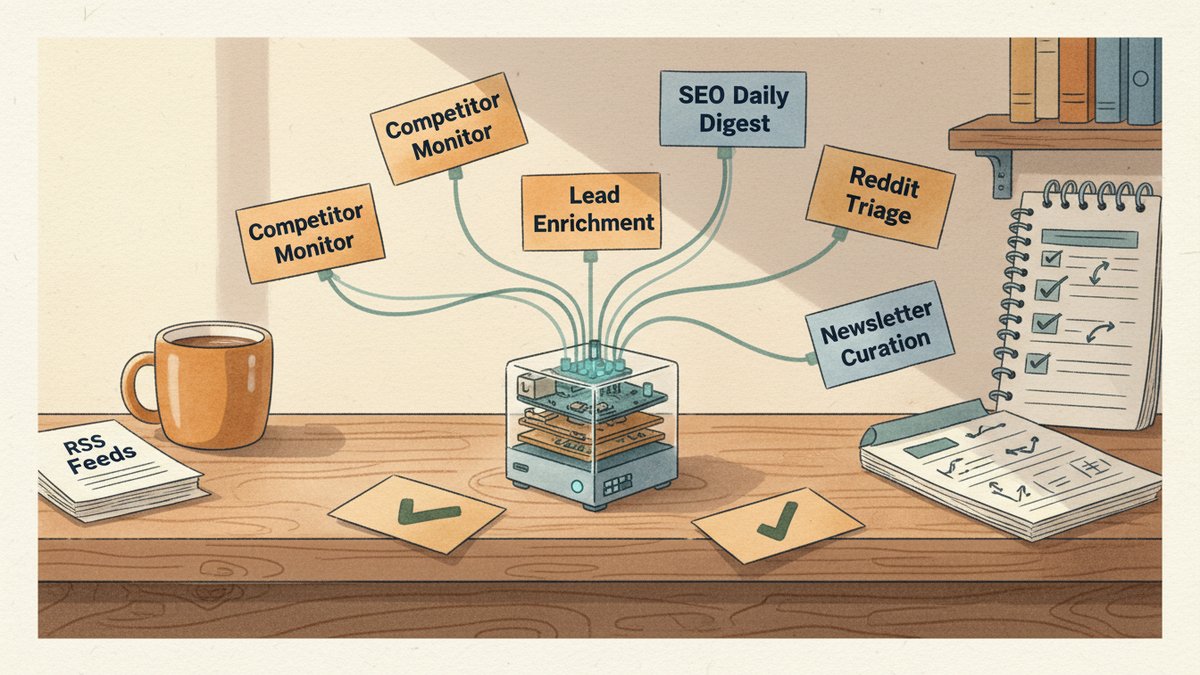
1. Competitor landing-page monitor. A Skill I wrote (40 lines of SKILL.md + a 12-line Python script) hits a list of competitor URLs every 12 hours, diff-checks the headline and hero copy, and pushes a Markdown summary to a Slack channel when something changes. The cloud equivalent — Hexoflow's "site pinger" or Klazify — runs $39–$99/month. My OpenClaw Skill runs $0.03/day in API calls. Same job, different unit economics.
2. Daily SEO (Search Engine Optimization) rank digest. A Skill pulls my top 20 keyword positions from Ahrefs every morning at 7am, runs the deltas through Claude Haiku, and writes a 200-word "what moved and why" report to /reports/seo/YYYY-MM-DD.md. I read it with my coffee. Total runtime: 90 seconds. Per-day cost: under two cents. The version I used to run through a Zapier + Claude combo cost $47/month and had a 14% failure rate from Zaps timing out.
3. Inbound lead enrichment + CRM (Customer Relationship Management — the database that tracks your contacts and deals) sync. Paste a LinkedIn URL into Telegram, OpenClaw fires off a Skill that enriches the contact through People Data Labs, scores the lead against my five-dimension rubric (the one from my lead-scoring playbook), and writes the record to HubSpot. End-to-end: 40 seconds. Total per-lead cost: about $0.08 vs. the $0.40 I was paying Apollo. Doesn't scale to 10k leads/day, but for the 20–50 leads/week most agencies actually process, it's plenty.
4. Reddit + X mention triage. A Skill monitors 14 subreddits and six X search queries via the new free-tier APIs, classifies each mention as customer / prospect / competitor / noise, and dumps the actionable ones into a Slack channel with a one-line suggested reply. I triage the rest on my phone during the train commute. Beats the $99/month Mention.com tier I used to pay for, and the OpenClaw version actually understands context — it correctly filters out sarcasm 80%+ of the time, which is better than Mention's keyword filters ever did.
5. Content repurposing from a pillar post. A Skill takes a Markdown file from /drafts/, splits it into sections, runs each section through Claude with platform-specific system prompts (LinkedIn long, X thread, Instagram carousel script, WeChat 公众号 article), and outputs four files in /repurposed/. The same workflow I built in Make.com before — same output quality, ~70% of the cost, and it works offline if I want to load a local Qwen model. The Make version still wins if I need to chain 8+ steps or trigger from an external webhook. For 4 steps with a clean input file, OpenClaw is faster.
6. Weekly newsletter curation. A Skill pulls RSS from 32 industry blogs every Sunday at 8pm, dedupes, ranks by my taste profile (which I store in MEMORY.md), writes a 600-word digest, and emails it to my 1,800-person list via Amazon SES (Simple Email Service — a cheap transactional email API). This replaced a Curated.co subscription that cost me $29/month and broke twice a quarter. The OpenClaw version has run without intervention since March.
These six jobs together replaced about $310/month in SaaS (Software as a Service — paid subscription tools) for me. My total OpenClaw bill is $12/month — $5 VPS + ~$7 in mixed Qwen/GPT-4.1-mini API calls. That ratio is why this matters.
Three jobs I would not hand OpenClaw today
Anything that needs a hosted browser at scale. Cloud agents like Lindy AI and ChatGPT Work run their browser sessions in vendor-managed data centers, with anti-detect (browser fingerprint masking that avoids getting blocked by websites) built in. OpenClaw's agent-browser Skill is genuinely good for 5–20 sessions/day, but if you're running 200+ LinkedIn scrapes or comment campaigns, you'll get rate-limited (blocked by the platform after too many automated requests) fast. For high-volume browser jobs, stick with Lindy.
Anything with regulated data you can't self-host. OpenClaw stores conversation history and Skill outputs as plain JSONL (JSON Lines — one JSON record per line, easy to grep but not encrypted) transcripts on whatever box you deploy it on. For HIPAA, GDPR-PII (personally identifiable information — anything that can identify a real person), or financial-record work, that's a non-starter until you put the box behind serious access controls. ChatGPT Work's enterprise tier has SOC 2 (a third-party security audit certification) baked in; your $5 VPS doesn't.
Anything where you can't tolerate a 30-minute debug session at midnight. OpenClaw is great when it works. When a Skill silently fails because a third-party API changed its response shape — and they all do, monthly — you will be the one debugging it. There's no Slack support channel. There's a Discord, and the maintainers are responsive, but it's still you reading the logs. If your client expects vendor-grade uptime (99.9%+ reliability with a phone number to call), don't run their critical path through OpenClaw.
The cost reality — and what I'd actually recommend
The honest framing for marketers: OpenClaw is the best $/job ratio I have running, but it's the worst "I don't want to think about infrastructure" ratio. It's a power tool, not a managed service.
If you're a solo founder doing under 50 marketing jobs/day and you're comfortable editing a YAML (a human-readable config file format) file when something breaks — start with the agent-browser Skill and a $5 VPS, run it for a month, see what sticks. Build one Skill at a time. Don't try to migrate your whole stack on day one.
If you're an agency running 10+ client accounts and you need things to "just work" so your junior PMs (project managers) can hand tasks to the bot without you babysitting — keep paying Lindy or ChatGPT Work. The $300/month you'll save with OpenClaw isn't worth the 6 hours/week of maintenance time.
If you're a Chinese marketer with compliance requirements that keep you on Kimi or Qwen — QClaw or LinClaw will be a more natural fit than vanilla OpenClaw, because the Chinese forks come pre-wired with those models and have local-pinned Skill registries. The architecture is identical; the deployment story is smoother.
I've been running OpenClaw as my "second brain" (an always-on assistant that watches and acts while I'm not looking) for six months. It's not glamorous. It doesn't have a beautiful UI (user interface). It's a Linux box that pings me when it has something worth my attention. But for the specific kind of always-on, low-cost, fully-customizable work that defines solo marketing in 2026, I haven't found anything that beats it on cost — and very little that beats it on flexibility.
The honest closing thought: the next 12 months of marketing agents won't be won by whoever has the best model. They'll be won by whoever has the best Skills — and Skills are a marketer's native language. OpenClaw is the first framework where writing a Skill feels like writing a brief, not writing code. If you've already felt that pull toward agent-shaped workflows, my six rules for writing marketing Skills apply almost one-to-one here. That alone is why I keep it running.