Newsletter Curation with Claude + RSS: Turn 30+ Industry Blogs Into a Weekly Digest in 30 Minutes
Contents
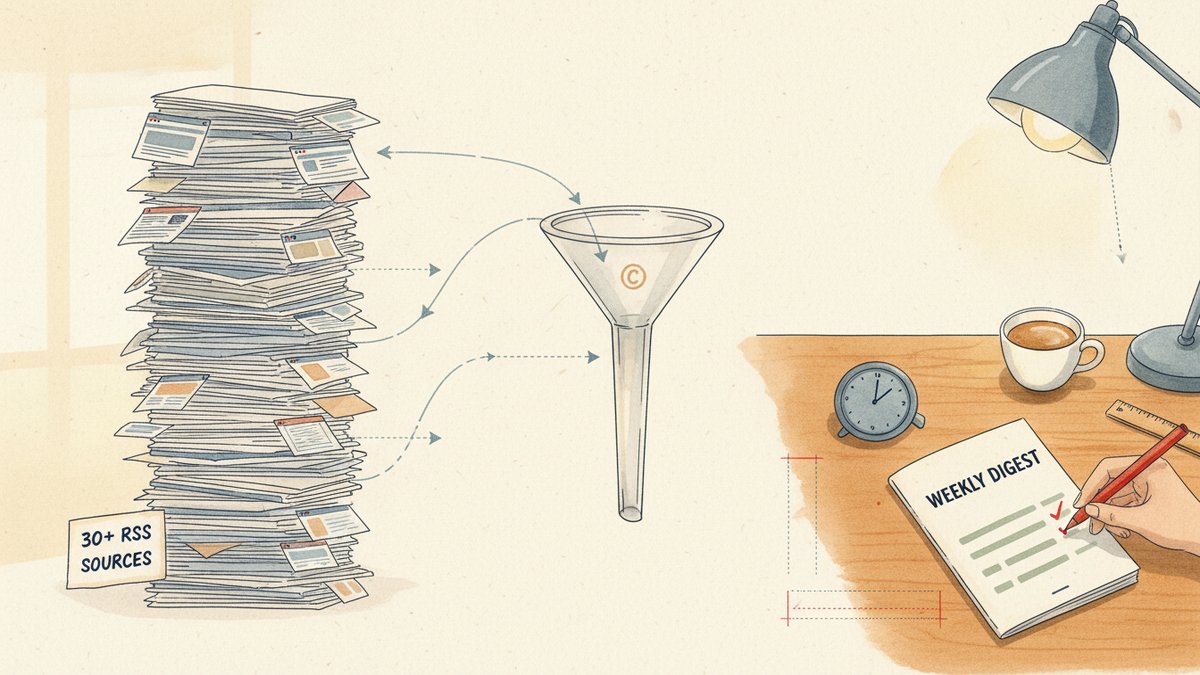
Last Friday morning I sent out a 14-page weekly digest — 30 source blogs, 47 linked articles, 4,200 subscribers — in 28 minutes of actual work. The week before, 23 minutes. The week before that, 31.
I don't read those 30 blogs anymore. I haven't opened most of them directly in over a year. RSS does the gathering, Claude (Anthropic's AI assistant) does the reading, I do the editing. This is the workflow I want to walk you through, because every time I show it to a marketer, the reaction is the same: "Wait, that's actually possible?"
It is. Here's the setup.
Why RSS (Really Simple Syndication) is having an awkward second life
RSS — the web's original "subscribe to updates" format — was supposed to die when Google Reader shut down in 2013. Instead, it just went underground. The feeds are still there: most blogs, every Substack, almost all major publications still publish an XML feed you can plug into a reader. The audience left, the infrastructure didn't.
For newsletter curators, RSS is the unfair advantage most people forgot existed. A standard feed gives you title, link, publish date, sometimes a full-text body, sometimes just a 200-word summary. Pair that with a reader that fetches the original article automatically, and you have a programmatic firehose (continuous high-volume stream) of every post your industry publishes — before the algorithmic timelines (algorithmic feeds that decide what to show you, e.g. LinkedIn's or X's home feeds) decide you should see it.
Back in 2022 I was curating a 1,200-subscriber B2B (business-to-business) SaaS newsletter, and the editorial process looked like this: I'd open 40 tabs every morning, skim 200-word summaries, decide which 8 to read fully, take notes in Notion, and write the digest from memory. It took three hours. I missed good posts constantly.
The pipeline I'm using now does the same job in 28 minutes, and it catches more.
The two tools, picked on purpose
I'm going to be opinionated about the stack because the alternatives are worse in specific ways, and "use whatever you like" is how these posts get rewritten by ChatGPT in 10,000 variations.
Reader: Miniflux (self-hosted, ~$15/year on a $4 VPS, or free if you run it locally). It's a minimalist, opinionated feed reader written in Go. I picked it for two reasons that actually matter:
- It has a built-in "fetch original content" mode that automatically downloads the full HTML (web page) body of every post and strips the ads, navigation, and footer junk. You get the article text, not a 200-word teaser.
- It has a clean JSON API (a way for software to talk to the service programmatically) with a
/entriesendpoint. You can pull the unread items in your queue as a single JSON (JavaScript Object Notation) blob, and the only limit is your reader's character count.
I tried Feedly Pro (good UI, $8/month, but the API is locked behind the most expensive tier and Leo's summaries are inconsistent on long posts). I tried Inoreader (powerful rules engine, but the full-text fetch was hit-or-miss and the API rate limits (caps on how many requests you can make per minute) made batch exports painful). Miniflux won on the two things this workflow actually needs: clean full-text and a usable API.
Summarizer: Claude (Sonnet 4.5 in my case, but any recent model works). Sonnet 4.5 has a 1M-token context window (the maximum amount of text it can read in a single request — roughly 750,000 words) as of mid-2025, which is the unlock for this workflow. I'm pasting 20–30 full articles at a time into a single prompt. GPT-4-class models choke at 5–8 articles before they start dropping early ones from the summary. Claude doesn't.
If you don't have API access, Claude.ai's "Projects" feature works the same way — paste the articles, use a project-level system prompt (the standing instructions you set once for the whole project), ship.
The 30-minute workflow, step by step
I'm being honest about the time. "30 minutes" is from the moment I open my reader to the moment the email is scheduled. It does not include the time to drink the coffee.
Step 1 — Maintain a fixed subscription list (~5 min/week)
I subscribe to 30–35 blogs. The exact number doesn't matter, but the discipline does: I do not subscribe to anything new without unsubscribing to something else. The list is curated, not accumulated.
Practical rule: every feed should have produced a "keeper" article at least once in the last 90 days. If it hasn't, it goes. The goal is signal, not coverage.
Good sources for a marketing newsletter: SparkToro, Moz, Ahrefs Blog, Backlinko, Animalz Blog, The Hustle, Marketing Brew, Stratechery (for tech context), Anneke Stuewer's SEO blog, the Substack of anyone whose tweets you actually read.
Step 2 — Let Miniflux fetch full text automatically
In Miniflux settings → Feeds → "Fetch original content" → ON. This is on by default for new installations, but double-check it. Without this, you're summarizing intros.
For stubborn sites that block scraping, Miniflux's user-agent override (a setting that controls how the reader identifies itself to websites, so the site doesn't block the request) and proxy options usually solve it. For the rare holdout, I just use the article's RSS-only summary and move on. Not every post needs full-text.
Step 3 — Mark keepers, ignore the rest (~10 min)
Every Friday I open Miniflux's unread view and do a 10-minute triage. The keyboard shortcut f marks a post as "Read Later." I use it liberally on anything with a headline that earns a click. Everything else gets m (mark as read) and disappears.
I aim for 20–30 keepers. The triage is fast because the goal isn't to read — it's to pre-filter for the model. Most weeks I end up with 22–28 articles that genuinely matter for my audience.
The mental shift: the unread counter is not a debt I owe. It's a list of candidates. I'm not reading the list. I'm picking from it.
Step 4 — Export the keepers to a single text file (~2 min)
Miniflux's API makes this a one-liner in the terminal:
bashcurl -u user:password "https://your-miniflux-instance/v1/entries?status=unread&limit=50&direction=desc" \
  | jq '[.entries[] | {title, url, published_at, content}]' \
> keepers-$(date +%Y%m%d).json(curl is a command-line tool for fetching data from URLs, and jq is a tool for extracting and reshaping JSON data.)
That gives you a JSON file with title, URL, publish date, and full HTML body for every post marked Read Later. I drop the JSON into a small Python script that converts it to a plain-text digest — one article per section, with a clear === TITLE: ... === separator. The conversion is 30 lines, mostly html2text. I can share the script if there's interest.
Step 5 — Summarize with Claude (~5 min, mostly waiting)
Now the actual prompt. This is the one I've been refining for nine months. I keep it in a text file called digest-prompt.md and paste it into a Claude Project (or the API's system field) once. Then I paste the week's text file into the user message and click send.
You are a senior editor curating a weekly digest for a 4,000-subscriber
audience of growth marketers and SEO practitioners. Your job is to
select the 8-12 most useful articles from the ones I provide and write
a tight editorial summary for each.

Format each selected article as:

  ## {Article title}
  *Source: {publication} | {publish date}*
  {2-4 sentence summary in the digest's voice: practical, opinionated,
  no hype. Lead with the most actionable insight.}
  **Why it matters:** {one sentence on who should care and what to do with it}
  [Read the full piece →]({original url})

Selection criteria (in order):
1. New information or a new angle — not just a rephrase of last week's news.
2. Actionable. The reader can do something different on Monday.
3. Has a clear point of view, not a survey.

Skip:
- Generic listicles with no original data
- Product announcements with no marketing lesson
- Rehashes of common knowledge

Hard rules:
- Never invent a fact, number, or quote. If the source doesn't say it, don't say it.
- Never write "in today's fast-paced world" or "dive into" or any of that.
- If an article is weak, drop it. Better 8 strong than 12 padded.
The "selection criteria" and "skip" sections are what make this work. Without them, Claude defaults to "include everything, summarize in a friendly way" and you get a 30-page digest nobody reads. With them, it acts like an editor with taste, not a search engine.
The 5-minute wall-clock time is real: most of it is Claude's thinking. The prompt is about 200 words. The output is about 1,500 words. I do not touch it while it runs.
Step 6 — Edit, not rewrite (~5 min)
This is the part I cannot skip and cannot outsource. Claude's output is the draft. Mine is the edit.
What I actually do in 5 minutes:
- Verify every fact and link. Two weeks ago, Claude confidently cited a "recent Backlinko study" that turned out to be from 2019. Trust but verify — every URL gets clicked at least once.
- Cut the 20% that's filler. Claude is generous with caveats and transitions. "It's worth noting that…" has to die on every pass.
- Add the one personal note per issue. A short paragraph at the top — "what I tried this week," "what I'm skeptical of this week," a small data point from my own work. This is what makes the digest feel like a person wrote it.
- Schedule the send. Convert markdown to email, schedule for Saturday 8am, close the tab.
That's it. 28 minutes, give or take. The output is a digest that consistently gets 42–48% open rates and the kind of replies I used to spend three hours a week chasing manually.
What this does NOT do
It doesn't replace reading. I still read long-form pieces on weekends — books, annual reports, the kinds of things that don't show up in RSS. RSS is for signal detection, not deep work.
It doesn't replace judgment. The "select 8–12, drop the rest" instruction is doing 60% of the work. If you skip that and ask Claude to summarize everything, you'll get a 30-page digest nobody opens, and you'll quit the workflow by week three.
It doesn't write the lead. The first paragraph — the one that says "this week in growth marketing, the interesting move was X" — is mine. Always. The model doesn't know what's interesting. You do, because you live in the industry.
A small reframe
The instinct when people hear "AI newsletter curation" is to ask: can the AI do the whole thing? Can I just point it at a feed list and get a digest?
Yes, technically. You'll get a digest. It will be correct, useful, and totally indistinguishable from the 400 other AI-generated digests already in your subscribers' inboxes.
The work that earns the open is not the summarization. It's the selection, the framing, and the one or two sentences of voice that come from someone who actually works in the field. Claude makes the summarizing part fast enough that you can spend your time on the parts only you can do. That's the whole trick. The model gives you hours back. You spend those hours being a person, not a content engine.
A digest your subscribers can tell was written by a human is the only kind that survives 2026. The workflow above is how I keep mine weekly without burning out.