GPT-6's Intelligent UI for Marketers: What the New Interactive ChatGPT Surface Actually Buys You (and What Stays Text-Only)
Contents
Tuesday morning. A client pings: "Can you compare our three landing page variants side-by-side and tell me which CTA copy is converting better, and what should we change on the loser?"
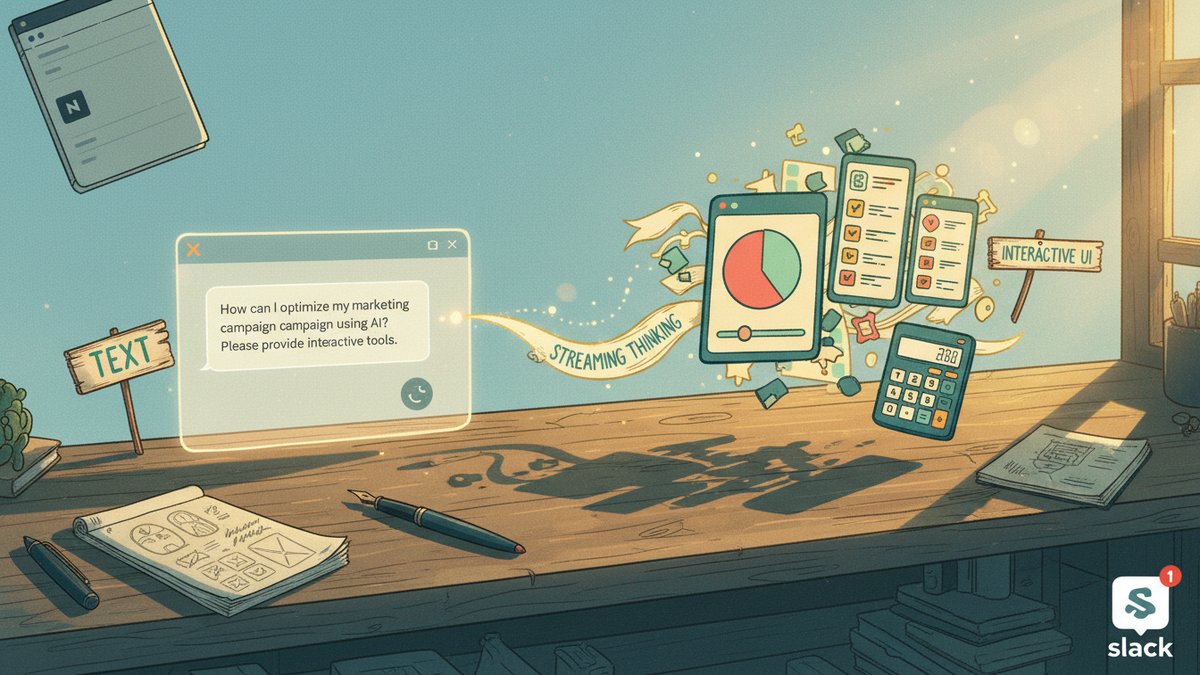
Two years ago I'd open a spreadsheet, paste a screenshot, write a 600-word essay, and call it done. Last year I'd run it through a multi-agent pipeline in n8n and ship a Notion brief. Today I open ChatGPT, type the question, and get back a side-by-side table with three CTA candidates that I can tap, a small bar chart of where each lost the visitor, a working "rewrite this CTA" mini-editor with the brand-voice rubric pre-loaded, and an editable A/B hypothesis card I can copy straight into the experiment tracker. The answer starts streaming before the model finishes thinking.
That second half — start answering while still thinking — is the part that quietly reshapes the work.
OpenAI pushed GPT-6 with Intelligent UI to ChatGPT on October 7-8, 2026. Plus, Pro, Business and Enterprise get GPT-6 Sol from Oct 7; Free and Go get GPT-6 Luna from Oct 8. Work and Codex are explicitly not changed by this release, which is worth flagging up front because anyone whose pipeline runs through those surfaces will keep the old behavior. Intelligent UI is available from Instant up through Extra High reasoning; the Pro tier (GPT-6 Astra) does not support it.
What follows is a working marketer's first-week read: what the new surface actually does, what it doesn't, the five jobs it earns in your stack today, the three to keep on plain text, and the routing rule that falls out.
What Intelligent UI actually is
It's not a separate product. It's a capability the model decides to use when a question would land better as something other than prose. The renderable set, drawn from OpenAI's demos and the system card:
- Side-by-side comparisons with tappable rows
- Interactive charts where a slider changes the result (savings calculator, guest-count recalc, ad-budget scenarios)
- Editable diagrams that explain a system (bike gears, central limit theorem, airplane lift)
- Maps with stop-level pins for trip / territory planning
- Forms you can fill in (lead routing, intake, brief intake)
- Inline mini-tools — bill splitters, calculators, BMI, savings projections
- Lightweight games generated on demand for engagement hooks
Under the hood it's a native streamable component library plus a compiler. The interface appears progressively as the model generates, not as a final render at the end. The model is trained to score its own UI choices on clarity, usefulness, and completeness — it's actually being graded on whether to show a chart or stay in text. That's the part most coverage glosses over: Intelligent UI is a learned format selection policy, not a template engine bolted on.
The second pillar is streaming thinking. In prior reasoning models, the user waited for the entire thought chain to finish before the first token of the answer. GPT-6 can start outputting — text, UI, both — while still reasoning, then progressively add findings. OpenAI's own eval: on web-search tasks, GPT-6 Instant starts responding 44% sooner than GPT-5.6 Instant. On high-value everyday agentic tasks, GPT-6 Extra High begins answering in roughly the same time as GPT-5.6 Medium while scoring higher overall than GPT-5.6 Extra High. That is the most underrated upgrade in the release.
Safety, briefly: it inherits the Astra-era hardening for cyber / bio / violence misuse, with stronger resistance to multi-turn bypass attempts and better calibration on its own capability limits.
5 jobs Intelligent UI earns today
These are the jobs where the interactive surface replaces text-only output with something that's faster to use, faster to share with a stakeholder, or simply not possible in prose.
1. Side-by-side creative comparison. Three ad concepts, three landing page variants, three email subject-line candidates. The model renders them as tappable cards with the actual CTAs and images inline, and you can poke the loser to ask "rewrite the hero in a more concrete benefit-led voice." The output goes straight into Slack for stakeholder review without a screenshot step. Beats the screenshot-and-essay workflow I used to run.
2. Interactive budget and forecasting calculators. "If we shift 20% of paid search into Reddit and cap CPM at $14, what's the projected reach for Q1?" gets a working calculator where you drag the slider and the answer recalculates. This was a job I used to spin up in Claude + a Streamlit hack. Now it's a prompt.
3. Visual explainers for client-facing decks. "Explain how our attribution model credits view-through vs click-through" produces an interactive diagram the client can play with during the meeting, not a slide I built in Figma. For agencies whose differentiator is explaining complex things simply, this is a real workflow change.
4. Intake and brief collection forms. Sending a creative brief to a freelance writer or a partner agency used to mean a Google Form + a separate Slack nudge + two clarification emails. Now the brief lives in the chat as a fillable form with the rubric baked in, the model validates the response, and the writer's revision prompts show up inline.
5. Lightweight engagement hooks for content. The retro-game demo is the easy example, but the more useful one is the interactive calculator embedded in a LinkedIn carousel caption. "DM me your monthly traffic and I'll tell you your CAC floor" — now the answer comes back as a working calculator, not a paragraph of approximations. For solo creators and consultants, this is a defensible differentiation vs the text-only status quo.
3 jobs to keep on plain text
The model is trained not to over-render. Most marketing prompts still get text back. Hold the line on:
- Brand-voice final-pass copy — subject lines, ad copy, email body. Prose is the deliverable. UI is decoration here. Use Opus 5.5 or GPT-6 Sol for the words; don't let the chat surface decorate your draft with a chart you didn't ask for.
- Strategy synthesis and opinion — "should we kill this channel?" returns text. If you get back an interactive diagram, the model has misread the prompt. Pin the format with a short "respond in prose, no UI" instruction at the end of your brief.
- Regulated / high-stakes one-shot content — public statements, compliance-sensitive copy, anything crossing data residency. The interactive surface is fun; the audit trail is still text + reasoning, and you don't want the visible artifact to be a UI element when regulators ask what you published.
If a job is going to GPT-6 Luna on the free tier for any of these, hold it there: Luna is conversation-tuned and stays close to prose. The Sol tier reaches for UI more aggressively.
The routing rule that falls out
For two years the default move was: describe what you want, get text back, build the rest yourself. Whether that meant opening a spreadsheet, a Notion page, or a Streamlit calculator.
Intelligent UI inverts the default. The new rule:
If a marketer would build a small tool to answer this question — let the model build the tool.
That covers roughly the work I've historically done in spreadsheets and prototypes: comparisons, what-ifs, intake forms, calculators, simple explainers. It's not new capability, it's new posture. The work shifts from "write a good brief, ship a good answer" to "name the artifact you actually need, ship the artifact."
Two practical bits worth knowing on day one:
- Pin the format when you need to. Append "respond in prose, no charts or buttons" or "give me an interactive calculator I can copy into my workspace" to prompts where the model should not freelance on rendering. The trained default favors interactivity now; pin when you want plain.
- Streaming thinking is the bigger win than the UI. On web-search tasks and daily monitors, the first-token latency drop matters more than the new components. A monitor that starts answering in 12 seconds instead of 22 — and keeps updating as it gathers more — is a different monitoring experience, not just a prettier one. My Reddit monitoring agent leans on this; I'm rerouting its daily digest through GPT-6 Sol to see if the same model does both monitor + summary at lower wall-time.
If you've been waiting for a reason to retire a few of your Streamlit prototypes and Notion calculator templates, this is it. Keep the ones the model can't replace — anything with persistent state, anything connected to your data warehouse, anything a stakeholder uses more than twice. The rest, ask ChatGPT to build you a version. You'll get the next request back faster, and so will whoever's on the other end.