YouTube Title + Thumbnail A/B Testing: How to Pick the Winner in 48 Hours
Contents
YouTube's official Test & Compare feature runs for a minimum of seven days. That's their recommendation, baked into the product. Seven days is fine if you publish once a week. It's a problem if you ship 3-4 videos in a week, or if you're running a launch where the first 48 hours of CTR (Click-Through Rate, 点击率) decides whether the algorithm picks you up.
A finance channel I work with learned this the hard way. A video that underperformed in the first 48 hours never recovered, no matter how many title tests we ran afterward. So I started telling clients to read the test at 24 and 48 hours — not because the data is statistically final, but because the cost of waiting is real.
Here's the actual workflow we use to call a winner in 48 hours without lying to ourselves about the numbers.
The honest framing: 48 hours is a fast-iteration loop, not a final verdict
Two things are true at the same time, and most advice online misses one of them:
- YouTube's algorithm tests your video for the first 48-72 hours to decide initial distribution. CTR and AVOD (Average View Duration, 平均观看时长) in that window matter more than they'll ever matter again.
- A "statistically significant" AB test needs enough impressions per variant — usually 1,000+ per arm — to be trustworthy.
The 48-hour method is not "I have a final answer." It's "I have a directional answer, fast enough to act on." If you treat it as a final verdict, you'll over-fit to noise. If you ignore it and wait for a "perfect" signal, you'll miss the window where the algorithm is still deciding.
So the goal is: get a directional read at 48 hours, ship the winner, and keep one or two variants in your back pocket to re-test on the next video.
The 5-step method
Step 1: Decide what you're actually testing
Most creators AB test thumbnails in isolation, which leaves half the click-rate equation on the table. Title and thumbnail are a combo — they create the first impression together. So test them as a pair.
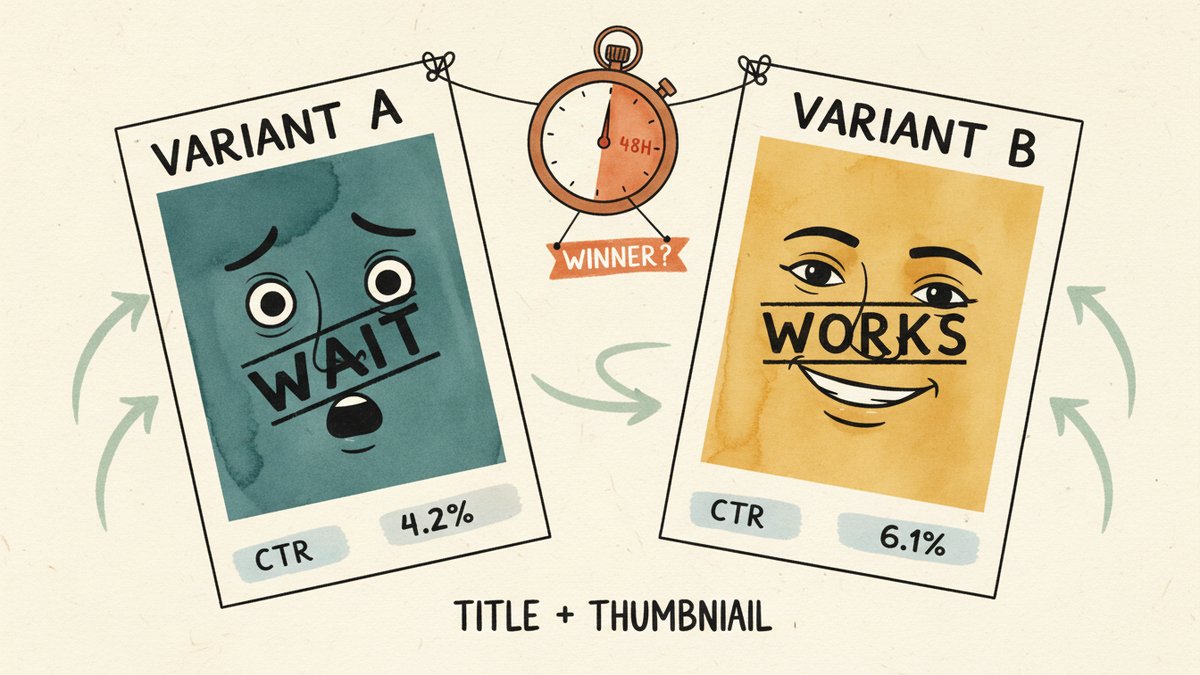
Write 2 title + thumbnail combinations. That's it — not 3, not 4. Three variants splits impressions too thin to read in 48 hours. Two pairs, 50/50 split, is the sweet spot.
Pick one variable to isolate per pair:
- Pure thumbnail test — same title, two thumbnails
- Pure title test — same thumbnail, two titles
- Pair test — both change (most realistic, but harder to learn from)
For a 48-hour window on a video with at least moderate impressions, go with a pair test. You're optimizing for the click, not for which element is "better."
Step 2: Make the variants meaningfully different
This is where most AB tests die. The two thumbnails are the same person, same pose, slightly different crop. The two titles are "5 YouTube Tips" vs. "5 YouTube Tips That Work." You will learn nothing.
Meaningful differences, in order of impact:
| Element | Weak version | Strong version |
|---|---|---|
| Thumbnail face | Neutral expression | Exaggerated emotion (shock, disbelief, laughing) |
| Thumbnail text | Your title spelled out | One extra word of context ("It worked." / "Wait, what?") |
| Thumbnail color | Same as channel brand | High-contrast accent color that pops against neighbors |
| Title framing | "How to do X" | "Why X almost broke me" or "X in 60 seconds" |
| Title specificity | Generic number | Oddly specific number or claim ("17, not 5") |
Pick 2-3 of these to vary. The variants need to be different enough that you can actually learn something — not different for the sake of being different.
Step 3: Set up the test correctly
You have two real options:
Option A: YouTube Studio's Test & Compare (free, official)
- Lives in YouTube Studio → video details → "Test & Compare"
- Tests up to 3 thumbnails against each other
- Runs for a minimum of 7 days, but you can see performance data at 24 and 48 hours
- YouTube's official guidance: "trust the data when you see it." Which is a polite way of saying, the data gets more reliable as impressions grow.
Option B: Third-party tools (faster iteration, paid)
- TubeBuddy's Variant Test — runs 7-14 days, but you can check the leaderboard earlier
- VidIQ's A/B Testing — similar model
- ThumbnailTest.com — purpose-built, 7-day test with auto-pick winner
- PickFu — different model: 100-500 real people vote on your thumbnail in 15 minutes, no live traffic needed. Great for pre-launch sanity checks, weak for live CTR signal.
For the 48-hour method, I use both. YouTube's Test & Compare for the live CTR data, and PickFu for the pre-launch check. PickFu runs about $1-2 per test, and a "5-second panel" usually tells you which of two thumbnails wins the glance — which is most of the battle.
Step 4: Read the data at 24 and 48 hours — here's the actual logic
This is the part nobody writes down. Here's what to look for at each checkpoint.
At 24 hours:
- Check that impressions are roughly even between variants (40-60% split is normal; anything more lopsided is a setup error)
- Look at raw CTR, not the "winner" label
- Don't call it yet. The signal is too noisy.
At 48 hours — the decision point:
The question is not "is variant A winning?" It is: "is the lead big enough that I would bet on it surviving a longer test?"
The rule I use:
- Lead > 20% in CTR with at least 500 impressions per variant → call the winner, ship it
- Lead 5-20% → keep both running, don't change anything, check again at 72 hours
- Lead < 5% → these variants are effectively a tie. Pick the one that fits your brand, not the leaderboard.
Why 20%? Because a 5% CTR lift on a 1,000-impression test is well within the noise floor. A 20% lift is a real signal at typical YouTube sample sizes — large enough to be worth acting on, even if it isn't statistically significant in the strict sense. The 48-hour method is built around the asymmetry of downside: a wrong call costs you one video, a missed call costs you the algorithmic tail.
This part sounds un-statistical, and it is. But YouTube's algorithm is also making a non-statistical call about your video in those same 48 hours. You're trying to out-pace a non-rigorous system. Be rigorous about the direction, not the p-value.
Step 5: Lock the winner, keep the loser for next time
The instinct after picking a winner is to delete the losing variant. Don't. Keep both files in a folder called "losers." Here's why:
Most of my best thumbnails are "loser" variants that went on to win on a different video. A "shocked face" thumbnail that lost on a finance explainer might be the exact right tone for a personal essay. The 48-hour test is a per-video verdict, not a permanent judgment on the asset.
I keep a simple spreadsheet: video title, winning variant, losing variant, why I think it won. After 50 videos, you stop guessing and start knowing. The spreadsheet is the actual asset — the thumbnails are disposable.
AI tools I actually use in this loop
For thumbnail generation, three tools earn their place:
- Midjourney v6.1 — best for stylized, high-contrast faces. Use
--style rawto keep things less "AI-looking" - Ideogram 2.0 — best for legible text inside thumbnails (Midjourney still mangles text more often than not)
- ChatGPT image generation (4o) — best for fast iteration; the visuals are less polished but the loop is 30 seconds instead of 3 minutes
For title variants, I keep a prompt that works: "Give me 8 YouTube title variants for [topic]. Vary the angle: curiosity, contrarian, specific number, list, story. No clickbait. Max 60 characters each." I run this on the best-performing video in any niche first, read the structure of the titles, then adapt for my own.
The AI part of the loop is not the test — it's variant generation. Test design and test reading are still human judgment. I have not seen an AI tool that picks thumbnails better than a creator with 50+ AB tests in their notes.
Three mistakes that wreck the 48-hour method
1. Re-running the test on a dead video. If a video has 200 impressions in 48 hours, no test will save it. The algorithm wasn't going to pick it up regardless of which thumbnail ran. Move on.
2. Optimizing CTR at the cost of AVOD. A clickbait thumbnail wins CTR, loses retention. YouTube's preferred metric is watch time share, and a 20% CTR lift with a 40% AVOD drop is a net loss. Always check the watch time column.
3. Testing on the wrong sample. A thumbnail that wins on a U.S. audience can lose on a global audience. If 70%+ of your traffic comes from one geography, fine. Otherwise, segment your read.
The honest bottom line
The "48 hours" in the title is a tool, not a rule. YouTube's official guidance is 7 days because the data is more reliable. The 48-hour method exists because the algorithm's first-impression window is shorter than that, and waiting costs you the algorithmic tail.
If you publish once a month, wait the 7 days. If you publish weekly, the 48-hour method is the difference between "I learned something" and "I learned in time to use it."
The creator who wins isn't the one with the best thumbnail. It's the one who runs more tests, keeps the notes, and ships the next video 48 hours faster than the last one.