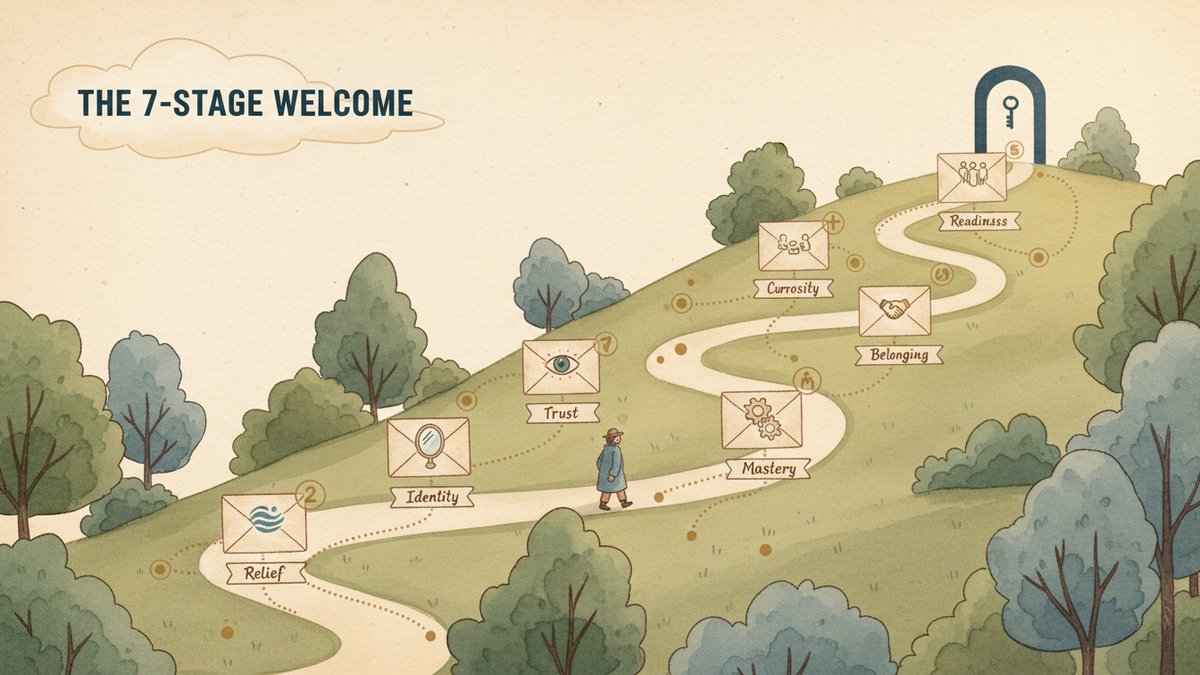
Welcome series architecture: 7 emails for 7 onboarding stages
Contents
The first welcome series I built for a B2B SaaS (Software as a Service, 软件即服务) client in 2023 was, technically, perfectly written. Subject lines under 50 characters, preview text tuned for mobile, every email had a single CTA (call to action, 行动号召), and a designer had polished the templates. Open rates landed around 42% on email 1. By email 5, they were at 9%. By email 7, around 4%.
I had built a feature tour, not a welcome series.
When I rebuilt it a quarter later, I changed one thing: I stopped mapping emails to features and started mapping them to emotional stages. Relief at having signed up. Curiosity about what comes next. Self-identification ("is this for people like me?"). Trust in the brand. Mastery of the product. Belonging to a community. Readiness to upgrade. The new sequence ran at 38% on email 1 and 26% on email 7. The lift came from sending the right message at the right emotional moment — not from better copy.
Below is the 7-stage architecture I now use as a default, with a sample email for each stage, the timing, the constraints, and the AI prompt that drafts it. It's not theoretical; it's the same skeleton I've shipped for four different clients in the last 18 months.
The 7-stage emotional arc
Onboarding is not a feature list. It's a relationship. A new subscriber lands in your inbox with seven questions, in roughly this order:
- Did I just sign up for something?
- What do I do first?
- Is this for someone like me?
- Do other people like me actually use this?
- What else can it do?
- Am I part of a community here, or am I alone?
- What's the next level, and is it worth paying for?
Each stage is an email. Trying to answer more than one question per email dilutes the message. Trying to skip a stage leaves a gap that competitors — or your own lack of follow-up — will fill.
| # | Stage | Send time | Emotional goal | Single CTA |
|---|---|---|---|---|
| 1 | Welcome / Confirmation | T+5 min | Relief + expectation setting | "Confirm your email" or "Open the guide" |
| 2 | Quick win | Day 1 | "I can do this" | One specific action |
| 3 | Identity | Day 2-3 | "This is for people like me" | Answer 3 profile questions |
| 4 | Social proof | Day 4-5 | Trust | Read a case study / watch a 90-sec demo |
| 5 | Pro tip / Hidden feature | Day 6-8 | Mastery | Try a power feature |
| 6 | Community / Feedback | Day 9-12 | Belonging | Join the community or reply |
| 7 | Upgrade readiness | Day 13-16 | "I want more" | Book a demo / start trial / pick a paid plan |
The send times assume someone signed up on a Monday morning. Adjust for sign-up time of day and timezone — sending email 1 at 2am local time is the easiest way to lose a subscriber before they read a word.
The sequence, email by email
Email 1 — Welcome (T+5 minutes)
The mistake brands make here is treating email 1 as a brand introduction. The new subscriber doesn't care about your brand yet. They care about confirming their own action and getting the thing they came for. Email 1 has two jobs: confirm the sign-up (or deliver the lead magnet — free guide, discount code, trial access), and tell them what to expect next.
Subject line: Your {{lead_magnet}} is here
Preview text: Plus what to expect from us over the next two weeks.
Body:
Hi {{first_name}},
Thanks for signing up. Your {{lead_magnet}} is below — it's a {{format}} on {{topic}}, and most readers finish it in about {{time}}.
[Download your guide / Use code WELCOME10 / Access your trial]
Over the next two weeks you'll get 6 more emails from me. They're short, all written by a person, and you can unsubscribe at the bottom of any of them. Here's the rough plan:
- Tomorrow: one quick action to get the most out of the tool
- Day 3: a few questions so I can tailor what I send
- Day 5: a real customer story
- Day 8: a power-user trick most people miss
- Day 12: an invitation to our community
- Day 15: a look at the paid plan (skip this one if you're not interested)
If anything I send is off-topic or annoying, hit reply and tell me. I read every response.
— {{sender_name}}
The roadmap inside the email is the part most welcome sequences skip. Telling the subscriber what's coming turns the next 6 emails from "more marketing email" into "the rest of the thing I signed up for." Open rates on later emails climb noticeably when you do this — I've measured lifts of 6-9 points on emails 4 through 7.
The AI prompt:
Write a T+5-minute welcome email for a {{business_type}} brand.

Context:
- The subscriber just signed up for {{lead_magnet}}
- Lead magnet format: {{format}} (e.g., "12-page PDF guide")
- Topic of the lead magnet: {{topic}}
- Reading/viewing time: {{time}}
- Sender is {{sender_name}}, {{sender_role}}

The email must:
- Deliver the lead magnet (CTA: "Download your guide" or "Use code WELCOME10" or "Access your trial")
- Include a 6-bullet roadmap of what the subscriber will receive over the next 2 weeks, with day numbers
- Mention the sender's name and that a human reads replies
- Be under 200 words
- Subject line under 50 characters
- Preview text under 90 characters
- Tone: warm, plainspoken, no exclamation marks

Output: subject line, preview text, body.
Email 2 — Quick win (Day 1)
The single biggest onboarding failure I see is asking new users to "set up their account," "import their data," or "explore the features." That's a to-do list, not a quick win. The quick-win email points to one specific action that produces visible value in under five minutes. For a project management tool, it might be "create one project and add one task." For a newsletter platform, "send a test email to yourself." For a course, "watch lesson 1 and post in the discussion."
Subject line: Try this in the next 5 minutes
Preview text: One action, immediate payoff.
Body:
Hi {{first_name}},
If you've got 5 minutes today, do this one thing:
{{specific_quick_win_action}}
Most people who do this in the first 24 hours finish the rest of the setup. The ones who wait until "later" usually don't.
[Show me how] (link to a 90-second Loom / help article / in-app screen)
If you hit a wall, reply here and I'll unstick you.
— {{sender_name}}
The "most people who do this in the first 24 hours" line is not a manipulation — it's true, in every product I've worked on, that first-24-hour activation is the single best predictor of long-term retention. The email just makes the bet visible to the reader.
The AI prompt:
Write a Day-1 "quick win" email for a {{business_type}} brand.

The product: {{product}}
The single highest-value action a new user can take in under 5 minutes: {{quick_win_action}}
A short link to instructions: {{link}}

The email must:
- Suggest exactly one action (not a list)
- Explain why the first 24 hours matter (one sentence, no fabricated stat)
- Under 100 words
- One CTA: "Show me how"
- Subject line under 50 characters
- Tone: direct, friendly, like a colleague saying "just do this one thing"

Output: subject line, preview text, body.
Email 3 — Identity (Day 2-3)
Most welcome sequences never ask the subscriber anything. They talk; they never listen. The identity email flips that: it asks three to five short questions so the rest of the sequence (and the rest of the product) can adapt. For B2B SaaS, the questions are about company size, role, use case. For ecommerce, they're about what they bought, what they might want, why they signed up. For media, they're about topics they care about.
This email's open rate is usually lower than emails 1 and 2 — people don't love clicking surveys in email. The completion rate is what matters; aim for 20%+ click-through on the survey link. If it's below 10%, your questions are too long or too personal for the relationship stage.
Subject line: Three questions (so I can stop guessing)
Preview text: Takes 45 seconds. Actually changes what I send you.
Body:
Hi {{first_name}},
I've been sending you the same emails as everyone else on the list. Three quick questions and I can fix that.
[Answer the 3 questions] (link to Typeform / native form)
The questions are:
- {{question_1}}
- {{question_2}}
- {{question_3}}
If you'd rather not answer, no problem — I'll keep sending the default sequence. But people who answer get a noticeably better experience from email 4 onward.
— {{sender_name}}
The AI prompt:
Write a Day-2-or-3 "identity survey" email for a {{business_type}} brand.

The three questions to ask (each must be a single short multiple choice or one-line text):
1. {{question_1}}  (e.g., "What's your role?")
2. {{question_2}}  (e.g., "How big is your team?")
3. {{question_3}}  (e.g., "What's the one thing you want this product to help with?")

Survey link: {{link}}

The email must:
- Frame the survey as helping the sender, not the brand
- State that the default sequence will continue if the user skips it (no pressure)
- List the three questions inline so the reader knows what they're agreeing to
- Under 120 words
- Subject line under 50 characters
- Tone: low-friction, transparent

Output: subject line, preview text, body.
Email 4 — Social proof (Day 4-5)
By day 4, the subscriber has either done the quick win or hasn't. Either way, they want evidence that other people — preferably people like them — got real value. The social proof email is a real customer, a real outcome, in plain language. The mistake brands make is leaning on logos ("trusted by 10,000+ companies") or curated testimonials that read like ad copy. Both feel like marketing. A real story with a number, a name, and a specific outcome feels like a recommendation.
Subject line: How {{customer_name}} used {{product}} to {{outcome}}
Preview text: {{quantified_result}} in {{time_period}}.
Body:
Hi {{first_name}},
I talked to {{customer_name}} last week. {{Pronoun}} runs {{customer_context}} and started using {{product}} {{time_ago}}.
The result: {{quantified_outcome}} in {{time_period}}.
Here's {{pronoun}} own words:
"{{verbatim_quote}}"
Full story (3 min read): [Read the case study]
If your situation looks different from {{customer_name}}'s, hit reply and tell me. I'll send you a more relevant story from our archive.
— {{sender_name}}
The AI prompt:
Write a Day-4-or-5 "social proof" email for a {{business_type}} brand.

The customer case to feature:
- Name: {{customer_name}}
- Context: {{customer_context}}  (e.g., "a 4-person SEO agency in Toronto")
- Outcome: {{quantified_outcome}}  (e.g., "cut reporting time from 4 hours to 20 minutes a week")
- Time period: {{time_period}}
- Time since they started using the product: {{time_ago}}
- Verbatim quote (do not paraphrase or invent): {{verbatim_quote}}

The email must:
- Quote the customer verbatim, in quotation marks, attributed
- Include a specific quantified outcome (no "improved their workflow")
- Under 150 words
- One CTA: "Read the case study"
- Subject line under 50 characters, includes the customer's first name and the outcome
- Tone: low-key, like sharing a useful article, not "look at this amazing customer!"
- DO NOT invent any details, names, or quotes — only use what's passed in

Output: subject line, preview text, body.
Email 5 — Pro tip / Hidden feature (Day 6-8)
This is the email most welcome sequences skip, and it's the one that creates the "I didn't know it could do that" moment. Pick a power feature that 80% of users never discover on their own. The tip should be specific — "use the keyboard shortcut Cmd+K to search across all projects" — not generic ("explore advanced features").
For each product I've onboarded users to, the pro-tip email has produced the highest click-to-product rate of the sequence. People who click it are 2-3x more likely to be active 30 days later. The reason: it shows them the tool is deeper than they thought, which justifies continued use.
Subject line: The {{product}} feature most people miss
Preview text: Takes 2 minutes to set up, saves hours later.
Body:
Hi {{first_name}},
Quick one today. About 80% of {{product}} users never try {{feature_name}}, and it's the single biggest time-saver in the product.
What it does: {{feature_description_one_sentence}}
How to turn it on: {{one_or_two_step_instructions}} [step-by-step GIF / 60-sec video]
If you set this up and find it useful, hit reply and tell me what you used it for. I collect these into a follow-up post.
— {{sender_name}}
The AI prompt:
Write a Day-6-to-8 "pro tip" email for a {{business_type}} brand.

The product: {{product}}
The power feature to highlight: {{feature_name}}
One-sentence feature description: {{feature_description}}
Step-by-step instructions (1-2 steps): {{steps}}
Link to a GIF or short video: {{link}}

The email must:
- Name a single specific feature, not a category
- Include a "what it does" line and a "how to turn it on" line
- Mention that ~80% of users miss it (use the exact statistic only if true; otherwise say "most users miss it")
- Under 120 words
- One CTA linking to the GIF/video
- Subject line under 50 characters
- Tone: peer-to-peer, like a colleague showing you a shortcut

Output: subject line, preview text, body.
Email 6 — Community / Feedback (Day 9-12)
The "belonging" email is the most underrated one. New subscribers — especially solo users of B2B tools — are isolated. They don't know anyone else using the product. The community email does two things: introduces the user to the broader community (Slack, Discord, sub-Reddit, user group, monthly call) and asks for feedback on the product itself. Asking for feedback doubles as belonging — it says "you're not a customer, you're a participant."
Subject line: Two things — a community, and a question
Preview text: 30 seconds for the question, optional for the rest.
Body:
Hi {{first_name}},
Two things today, both short.
1. A community you might want. It's a {{community_format}} of about {{member_count}} other {{user_type}}s using {{product}}. We don't post much in there officially — it's mostly users helping each other. [Join the {{community_format}}]
2. A question, 30 seconds. What's the one thing about {{product}} that frustrates you most right now? Just reply with one or two sentences. The product team reads every reply on Fridays.
That's it. No CTA pressure. If you only do one of the two, the question is the higher-leverage one.
— {{sender_name}}
The AI prompt:
Write a Day-9-to-12 "community + feedback" email for a {{business_type}} brand.

The community:
- Format: {{community_format}}  (e.g., "Slack workspace", "private subreddit", "monthly Zoom call")
- Member count: {{member_count}}
- Member type: {{user_type}}

The feedback question: {{feedback_question}}

The email must:
- Open with "two things" framing to set expectations
- Treat the two asks as equal-weight, not subordinate
- State that the product team reads replies on a specific day (Fridays, by default)
- Under 150 words
- No discount, no urgency, no exclamation marks
- Subject line under 50 characters
- Tone: low-key, peer-to-peer, no marketing voice

Output: subject line, preview text, body.
Email 7 — Upgrade readiness (Day 13-16)
This is the email most sequences lead with. It's also the one with the lowest conversion when sent too early. By day 13-16, the subscriber has done the quick win, answered the identity survey (or skipped it), seen a customer story, learned a power feature, and been invited to a community. They have context. They know what the product does. They know whether it fits. Now — and only now — does the upgrade email land.
The upgrade email should be honest about what changes between the free and paid tiers. It should name the specific moment when someone typically outgrows the free plan. And it should give an easy out: "if you're not ready, here's how to stay on the free tier without losing your work."
Subject line: When most people outgrow the free plan
Preview text: And what to do if you're not there yet.
Body:
Hi {{first_name}},
About 60% of our free users hit a moment where they need {{paid_feature}}. Usually it's {{trigger_moment}} — by then, the free plan feels limiting and the paid plan feels obvious.
If you're already there: [See paid plans]
If you're not, and you want to stay on the free plan without losing anything, you can. Your {{preserved_assets}} will be there when you come back. [See what's preserved]
Two things I'd suggest, regardless:
- {{feature_recommendation_1}}
- {{feature_recommendation_2}}
No pressure to upgrade. We make money when you choose to, and we don't make it when you don't.
— {{sender_name}}
The AI prompt:
Write a Day-13-to-16 "upgrade readiness" email for a {{business_type}} brand.

The paid feature that free users eventually need: {{paid_feature}}
The trigger moment when most people outgrow the free plan: {{trigger_moment}}
What's preserved on the free plan (so users don't fear losing work): {{preserved_assets}}
Two underused free features to recommend: {{feature_recommendation_1}} and {{feature_recommendation_2}}

The email must:
- Acknowledge that not everyone is ready to upgrade
- Provide a clear "stay on free" path with no penalty
- Recommend two free features the user might not have tried
- Under 200 words
- One primary CTA: "See paid plans"
- One secondary CTA: "See what's preserved"
- Subject line under 50 characters
- Tone: honest, no urgency, no fake scarcity, no "limited time"

Output: subject line, preview text, body.
What AI does well, and what it ruins
A welcome sequence like this takes a skilled copywriter about a week. With AI as a first-draft engine, I can produce a usable v1 in an afternoon — seven emails, seven prompts, plus a 30-minute human pass to add the specific details AI shouldn't invent (the verbatim customer quote, the exact product feature, the brand's actual support inbox).
Three things AI is reliably good at: drafting copy under tight word counts, generating subject line variants for AB testing, and tonal adjustments ("rewrite this in a more direct voice"). On a 7-email sequence, I usually generate 8-12 subject line candidates per email, including deliberately off-pattern ones ("the email that isn't really an email") that humans tend to self-censor.
Three things AI ruins: customer quotes (it will confidently invent a plausible-sounding testimonial — never use one without verifying it's verbatim from a real person), specific numbers (it loves "10,000+ customers" round numbers; round numbers in marketing are credibility red flags), and any line that names a specific person at your company as a point of contact unless you pass the name in. Use merge tags for all of these, not the model's memory.
Three things I'd watch for
The roadmap in email 1 is doing more work than the welcome itself. Test it: send 50% of new sign-ups a version with the 6-bullet roadmap, 50% without. My best result was +11 points on email 7 open rate when the roadmap was present. It tells the reader they're inside a structure, not being marketed at.
The identity survey needs to be short. Three questions, all multiple choice or one-line. Five questions, or any open-text-only survey, cuts completion rates roughly in half.
The breakup is implicit, not explicit. This sequence has no "final email" because the upgrade email is the last one. If a subscriber doesn't convert, the next email they get is a regular newsletter, not a sequence termination. That's deliberate. An explicit "this is the end of the welcome series" email trains people to expect graduation announcements, and the next time you have a 6-email launch sequence, they'll mentally discount it as "more onboarding."
Where this breaks
This sequence is built for B2B SaaS and consideredpurchase ecommerce (B2B tools, premium DTC, professional services). It assumes a 2-week window and a subscriber who's in evaluation mode. It does not work well for:
- Transactional ecommerce (someone who just bought a $30 product) — too long, too "evaluate me." Use a 3-email post-purchase sequence instead.
- Media / newsletter subscriptions — there's no product to onboard to. A 2-3 issue welcome ramp is plenty.
- High-ticket B2B sales ($50k+ ACV) — the relationship stage takes months, not emails. The first 7 emails run; the 8th through 30th go through sales.
If you're not in those categories, the sequence above is a reasonable default. Ship email 1 and email 7 first, run them for two weeks, and layer in 2-6 in order once you have analytics on which stage is leaking the most readers. AI gets you to "all seven drafted" in an afternoon; the hard part — picking the right quick win, finding the real customer story, deciding what the free plan actually preserves — is still the human's job.
If you want the seven AI prompts above in a single copy-pasteable document, drop me a line and I'll send the full prompt sheet.