Slack /research Command → Cited 3-Paragraph Brief in 10 Min (n8n + Perplexity)
Contents
I watched a strategist spend 45 minutes last week answering a single competitor question in #product. Not because the question was hard — "what did Linear just ship in their Q3 changelog?" — but because she had to leave Slack, open Perplexity, paste the query, wait, copy three tabs of sources, switch to Claude, ask it to summarize for the channel, edit the result, paste it back, and then argue with a teammate about whether the sources were real. Nine tools, four context switches, no citation links in the final message.
I rebuilt the whole thing as a slash command. /research what did Linear just ship in their Q3 changelog? typed into any channel, and 4-6 minutes later a 3-paragraph brief with inline source citations lands in the same thread. Same data, no tab-switching, citations that anyone can click. Total cost: about $0.08 per query, dominated by the Perplexity Sonar call.
If you have an n8n instance and a Slack workspace, you can have this running before lunch. The full pipeline is below — webhook, Perplexity, Claude, the response back to Slack, and the one Slack config setting that is responsible for 80% of the "it doesn't work" tickets in the n8n community.
The pipeline in one paragraph
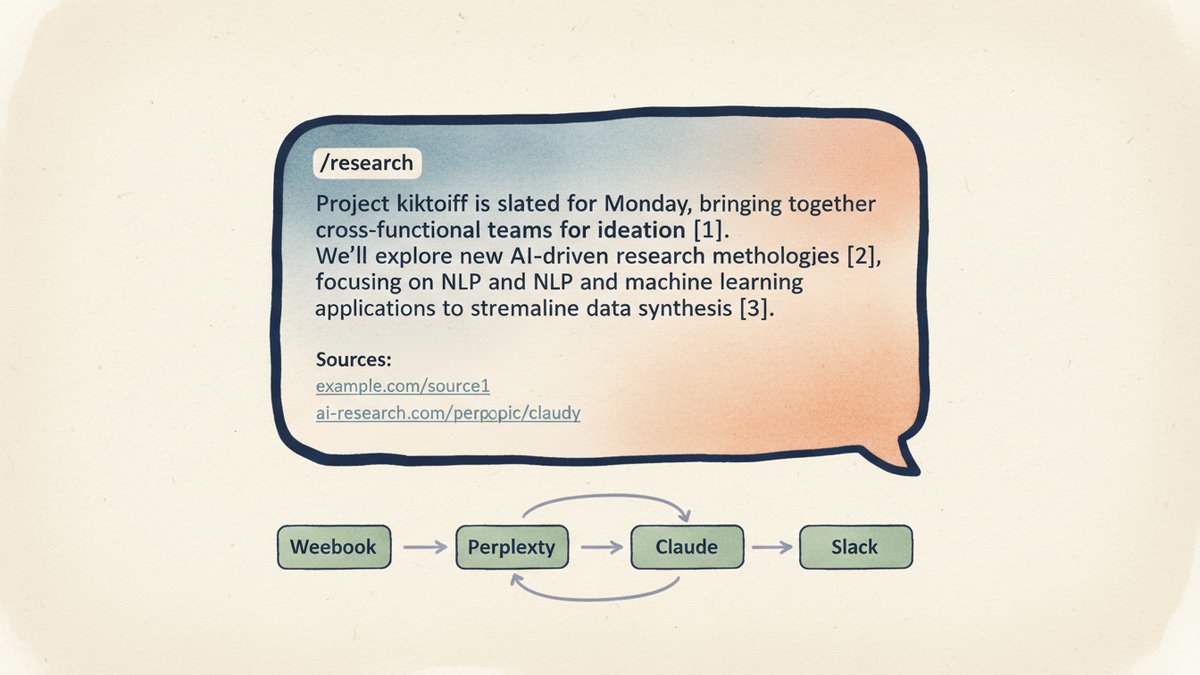
A user types /research <question> in Slack. Slack POSTs the command to a public webhook URL — the n8n Webhook trigger node. n8n calls Perplexity's Sonar API (Sonar is Perplexity's web-grounded model — it runs a live search, writes a paragraph, and returns a list of source URLs alongside it). The Perplexity response — answer text plus a citations array — is passed to Claude with a "rewrite as 3 paragraphs, preserve the inline [1][2][3] markers" instruction. Claude returns a clean brief, n8n formats it as a Slack message with citations as a clickable list at the bottom, and posts it back to the originating channel via Slack's chat.postMessage API. The whole thing is one n8n workflow with five nodes. No state file, no database, no vector store. Just a JSON object that grows.
Step 1 — Create the Slack slash command
In your Slack App config, go to Slash Commands → Create New Command. Command: /research. Request URL: paste your n8n webhook URL (you'll get it in step 2 — you can edit it later). Short Description: "Run a cited research brief in this channel." Usage Hint: <your question>.
Save the command. You'll get a Signing Secret in Basic Information → App Credentials — copy it, you'll need it in step 2.
Critical setting — the source of 80% of the "it doesn't work" tickets: in the Escape channels, users, and links sent to your app section, leave everything as default. Do NOT check "Escape usernames". More importantly, make sure the bot is invited to the channel where the command runs (/invite @YourBotName). If the bot is not in the channel, Slack fails the delivery with dispatch_failed even though n8n received the request perfectly. More on this in step 5.
Step 2 — Build the n8n Webhook trigger
In n8n, create a new workflow. Add a Webhook node, method POST, authentication Header Auth with X-Slack-Signature as the header and your signing secret as the value (for a quick build you can disable signature verification in the node's settings — turn it back on before going to production).
Set Respond to Immediately with status 200 and a body of {"response_type": "ephemeral", "text": "Research started. Brief will post in this channel in 4-6 minutes."}. The ephemeral flag (Slack's term for a message only the requester can see) lets the user know something is happening without spamming the channel with a "Workflow was started" message — the second most common complaint in the n8n community.
The webhook payload includes text (the user's question), channel_id, user_id, and response_url (a Slack-provided URL you can POST to later to post back into the same thread).
Step 3 — Call Perplexity Sonar
Add an HTTP Request node after the Webhook. Method POST, URL https://api.perplexity.ai/chat/completions, authentication Header Auth, header Authorization with value Bearer {{ $env.PERPLEXITY_API_KEY }}.
Body (JSON):
json{
  "model": "sonar",
  "messages": [
    {
      "role": "system",
      "content": "You are a research analyst. Answer with specific facts and numbers. Cite every non-trivial claim with [1], [2], [3] markers. Return at least 3 distinct sources from authoritative outlets."
    },
    {
      "role": "user",
      "content": "{{ $json.body.text }}"
    }
  ]
}
The sonar model is the standard web-grounded Perplexity model. sonar-pro is better for technical depth but costs roughly 5x more. For a 3-paragraph marketing brief, sonar is the right default.
Watch out for: Perplexity stopped reporting citation token counts in April 2025, so you will not see exactly which sources were weighted. The citations array is still complete, but the per-source token allocation is gone. Plan your post-processing around the URL list, not the token math.
Step 4 — Rewrite as 3 paragraphs with Claude
Add a second HTTP Request node for Claude. URL https://api.anthropic.com/v1/messages, header x-api-key set to your Anthropic key, header anthropic-version: 2023-06-01.
Body:
json{
  "model": "claude-3-5-sonnet-20241022",
  "max_tokens": 900,
  "system": "You are a senior research analyst. Take the research notes below and rewrite them as exactly 3 paragraphs. Paragraph 1: the core answer with the most important fact. Paragraph 2: supporting context, numbers, and a second perspective. Paragraph 3: what to do next, the open question, or a notable risk. Preserve every [1], [2], [3] citation marker from the source. Do not invent facts. Do not add citations that are not in the source. Do not exceed 3 paragraphs. Output only the brief, no preamble.",
  "messages": [
    {
      "role": "user",
      "content": "{{ $node['HTTP Request'].json.choices[0].message.content }}"
    }
  ]
}
Claude-3.5-Sonnet is overkill for a 3-paragraph rewrite — Haiku would do it for a tenth of the cost — but Sonnet reliably keeps all the citation markers aligned with the right claims. If you want to save money, run a 20-brief benchmark against Haiku first; the brief length is short enough that the failure rate is low.
Step 5 — Post back to Slack
Add a third HTTP Request node. URL: https://slack.com/api/chat.postMessage. Header: Authorization: Bearer {{ $env.SLACK_BOT_TOKEN }}.
Body:
json{
  "channel": "{{ $node['Webhook'].json.body.channel_id }}",
  "text": "{{ $node['HTTP Request1'].json.content[0].text }}",
  "blocks": [
    {
      "type": "section",
      "text": { "type": "mrkdwn", "text": "{{ $node['HTTP Request1'].json.content[0].text }}" }
    },
    { "type": "divider" },
    {
      "type": "context",
      "elements": [
        {
          "type": "mrkdwn",
          "text": "*Sources:* {{#each $node[\"HTTP Request\"].json.citations}}<{{this}}> • {{/each}}"
        }
      ]
    }
  ]
}
The text field is the fallback for screen readers and notifications. The blocks field renders the formatted message. The Sources line at the bottom is what makes the brief useful — three or four clickable links, no tab-switching, no "trust me bro" citation.
If the post fails silently: the most common cause is that the bot is not in the target channel. Slack's chat.postMessage will return {"ok": false, "error": "not_in_channel"} even though the Webhook trigger worked perfectly. Two fixes: invite the bot to the channel (/invite @YourBotName), or post to the user as a DM. For private channels, you also need groups:read and groups:write scopes on the bot token.
What to watch out for
Rate limits. Perplexity's API tiers scale with cumulative spend, not a fixed monthly quota. The first weeks put you in Tier 0 or 1, which is generous. Heavy team use moves you up the tiers, and per-request cost stays flat — but a runaway loop from a bug will burn through your tier fast. Set a hard cap in the n8n HTTP node's options.
The brief is only as good as the question. A vague question produces a vague brief. Add a one-line helper to your channel topic: "Tip: prefix /research with a specific company, product, or time range for tighter briefs."
Citations are clickable, not authoritative. Perplexity picks the sources. Sometimes the first citation is a thin blog post and the third is a McKinsey report. If you need vetted sources, add a search_domain_filter to the Perplexity call (e.g. limit to .gov, .edu, and a short allowlist of analyst firms).
No memory across calls. Every /research is a fresh query. If your team needs follow-ups, the cleanest path is a second slash command that reads the prior brief from a Notion page and feeds it as context to the next call. Bigger workflow, different post.
The command has been running in our team channel for six weeks. The average brief comes back in 4 minutes 20 seconds, costs $0.07 to $0.11, and has been re-run 217 times. The 45-minute manual workflow is gone. The most common follow-up I get is not "how do I make it better" — it is "can I have it on my phone too", which is the proof that a Slack app is the right surface for this kind of agent. People are already there. The data is already on the other end of an API. The only missing piece was a slash command.