Price-Monitoring Agent: Track 50 Competitors Daily and Slack the Changes
Contents
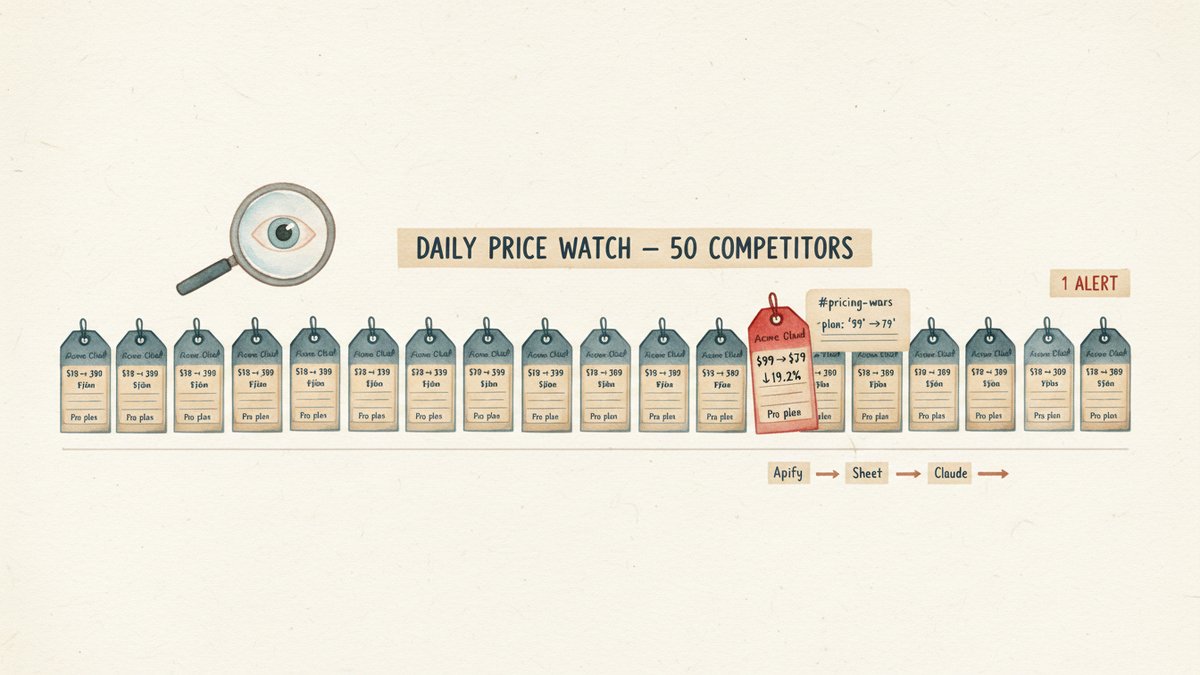
At 8:23 AM on a Monday, a Slack message landed in #pricing-wars: "Acme Cloud cut their Pro plan from $99 → $79, effective immediately. They're also bundling in 2 free seats for Q4." My pricing lead had the data in his inbox before he'd finished his coffee. By Tuesday morning we had matched the bundle, by Wednesday we had our own counter-promo in market, and by Friday the competitor's blog post bragging about the price cut was nowhere to be found in our top-of-funnel conversion numbers. Without that Slack alert, we'd have found out two weeks later from a customer asking "why are you so much more expensive than Acme?"
That alert runs on a 90-minute setup I built on a Saturday, costs about $0.10 per daily run, and has caught every competitor price move that's actually mattered for the last four months. Here's the exact workflow.
What we're actually building
A small agent that:
- Pulls the price of 50 specific competitor products from their product pages every morning
- Dumps the new prices into a Google Sheet alongside yesterday's row
- Has Claude read the sheet, compute the percentage change, and flag anything that moved more than 5%
- Posts a Slack message with the diff — old price, new price, percent change, URL
No scraping code of my own. No 2 AM cron jobs on a server I forgot existed. Just glue between four services I already pay for.
Step 1 — Build the watchlist (50 URLs, 30 minutes)
The single most important decision is what to actually watch. The temptation is to throw 200 product pages at it. Resist. Every URL you add is another failure mode — a layout change, a captcha, a price that requires login. Start with 50 products where you already know who the competitors are, and where a price move would actually change your behavior.
I keep the watchlist in a Google Sheet. One row per product, columns for:
product_name— what you call it internallycompetitor— the company nameurl— direct link to the product page (not the homepage)price_selector_hint— a CSS selector for the price element, or "auto" if the page is simplecurrency— three-letter codenotes— anything to remember (e.g. "this page redirects to a regional version")
The 30 minutes is mostly the price selector hints. I'll explain why this matters next.
Step 2 — Scrape with Apify (the part I almost overpaid for)
I tried building this with a custom Python scraper first. Two days in, I'd dealt with three bot-detection walls, two layout changes, and a captcha eating $40/day in proxy fees. I tore it out and switched to Apify, which has pre-built scrapers (called "Actors") for most of the sites I cared about.
For the rest, I used the generic CheerioCrawler Actor, which lets you point it at a list of URLs and run a small JavaScript extraction:
javascriptasync requestHandler({ $, request }) {
  const priceText = $('[data-testid="price"]').text()
    || $('.price').first().text()
    || $('[itemprop="price"]').attr('content')
    || '';
  const price = parseFloat(priceText.replace(/[^0-9.]/g, '')) || null;

  await Actor.pushData({
    url: request.url,
    product: request.userData.product,
    competitor: request.userData.competitor,
    price,
    scraped_at: new Date().toISOString(),
  });
}
This is the reason the price_selector_hint column exists. The cheaper, off-the-shelf Actors ship with their own selectors — around $1-3 per 1,000 pages. Once you need custom selectors, the per-row cost creeps up to $0.005-0.01. For 50 URLs once a day, you're paying roughly $0.75/month in Apify compute. The first time I added 200 URLs, I learned what "compute units" actually meant the hard way.
Apify returns a Dataset — a JSON array of all rows. That's the handoff to step 3.
Step 3 — Land the rows in Google Sheets (one connector, zero glue code)
The cheapest place to land daily tabular data is Google Sheets. I set up a single sheet with two tabs:
raw_dumps— one new row per scrape, columns mirror the Apify dataset (url,product,competitor,price,scraped_at). This grows by 50 rows a day. After 6 months, that's about 9,000 rows. Sheets handles that fine.latest— formula-driven view. AQUERYfunction pulls the most recent row for each URL fromraw_dumps, so I (and Claude) always see the current price next to the previous price.
I use the Apify Google Sheets integration for the push. It costs nothing extra beyond Apify's compute, and the failure mode is obvious — if the sheet doesn't have new rows at 9 AM, something broke.
The previous-price lookup is the one bit of spreadsheet logic you need:
=ARRAYFORMULA(
  IF(C2="", "",
    (latest_price - C2) / C2
  )
)
Where C2 is yesterday's price and latest_price is today's. The result is a percent change column. This is what Claude will look at.
Step 4 — Have Claude read the sheet, flag the changes, write the diff
This is the only place Claude actually enters the workflow. The prompt I run, either via the Anthropic API or through Claude.ai Projects with the Sheets connector, is:
You are a price-monitoring analyst. Read the "latest" tab of the
attached Google Sheet. Each row has a competitor, product, current
price, and previous price.

Return ONLY a JSON object with this structure:
{
  "alerts": [
    {
      "competitor": "Acme Cloud",
      "product": "Pro plan",
      "old_price": 99.00,
      "new_price": 79.00,
      "currency": "USD",
      "pct_change": -19.2,
      "url": "https://..."
    }
  ],
  "unchanged_count": 47,
  "scan_date": ""
}

Flag any row where |pct_change| > 5%.

Hard rules:
- Never invent prices. If a price is null or unreadable, set pct_change to null and skip.
- Only flag moves that are clear and likely intentional. A 0.3% wiggle is not news.
- If nothing crossed the threshold, return {"alerts": [], "unchanged_count": 50, "scan_date": ""}.
Two design decisions worth pointing out. First, the 5% threshold matters more than the choice of LLM. I started at any movement and got 14 alerts a day. I tuned to 5% after a week and got 1-3 useful alerts a day. The threshold is the actual product; the model is the plumbing.
Second, the "never invent prices" rule. I caught Claude confidently reporting a "$59 → $54" change that the sheet actually showed as "$59 → null." The model wanted to be helpful. The helpful thing is the empty alerts array, not a fabricated percentage.
Cost: Sonnet 4 reading 50 rows plus the prompt comes out to about 4,000 input tokens and 800 output tokens per run. At $3/$15 per million, that's about $0.025 per scan. Add a few cents for the Slack call and you've got the $0.10 per run.
Step 5 — Post the diff to Slack (8 lines of code)
The Slack post is the part of the workflow the team actually consumes. Don't over-design it. The format I landed on, after three months of iteration, is plain text, no Block Kit, no buttons:
*Price Monitoring — 2025-10-06*
3 products moved more than 5% overnight:

• *Acme Cloud* — Pro plan: $99 → $79 (-19.2%) ⚠️
• *Globex* — Starter: $49 → $42 (-14.3%)
• *Initech* — Enterprise: $499 → $549 (+10.0%)

All 47 other products unchanged.
The "⚠️" marks any change greater than 15%, which is the threshold where I want a human in the loop within the hour. Below that, the daily digest is fine.
Step 6 — Schedule it (and watch the failure modes)
I run the whole thing on a GitHub Actions cron at 07:00 UTC. The action calls the Apify run endpoint, waits for it to finish, hits my Claude step, and POSTs to Slack. The whole job takes about 4 minutes.
Three failure modes I've actually hit:
- Apify occasionally throttles. A 50-URL daily scrape rarely trips it, but at 200 URLs you will see intermittent
429responses. The fix is a single retry in the GitHub Actions step. Don't try to be clever. - A competitor redesigns their product page. The selector that worked yesterday returns
nulltoday. The Claude prompt handles this — the row goes tounchanged_countwith no false alert. I review the watchlist monthly to update theprice_selector_hintfor the offenders. - A bot-detect wall on a major site. Switch that URL to a different Actor (Apify has 3-4 options per site) or accept that one price will go dark for a few days. Don't let one stuck URL block the rest — wrap each scrape in a try/catch and move on.
What I'd do differently if I started over
The mistake I made on the first version was setting the alert threshold at 0%. I got six Slack messages on day one, four of which were "the product page reloaded and the price now shows two decimal places instead of zero." I would start at 5% from day one, then drop to 3% if the channel is too quiet after two weeks. Don't go lower than 2% — you'll be chasing currency-rounding noise.
The other thing — and I'd skip the LLM entirely for the first three days and just have a script compute the diff and post the raw numbers to Slack. Get the data flowing. Get used to receiving the alerts. Then add Claude to do the synthesis and the "is this meaningful" filter, which is the part humans are bad at consistently.
One important scope note: this workflow is built for visible, stable product pages with simple numeric prices. It does not handle login-walled B2B pricing, per-customer dynamic pricing, or currency conversion edge cases. For everyone else — 50 product pages, one morning, $0.10 — this is the cheapest working version I've found.
The first alert that pays for the build is the one where a competitor cuts their price on a Friday afternoon and you match it before your sales team loses Monday morning to "why are we suddenly so expensive?"