20 PMax Assets in 1 Hour: My Claude + Midjourney Pipeline
Contents
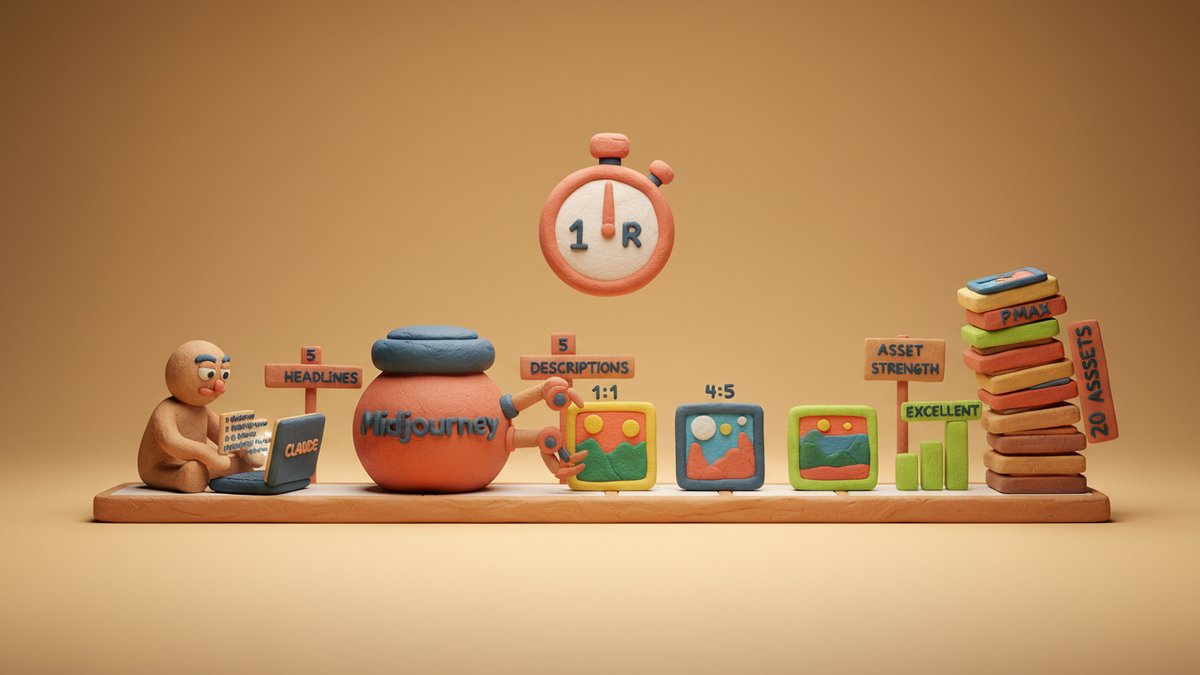
Last Tuesday I built out a full Performance Max asset group — twenty images, five headlines, five long headlines, five descriptions, plus a couple of logos — in just under an hour. The client is a DTC home goods brand spending around $40K a month on Google. The week before, I'd quoted them a three-day turnaround with traditional creative production. Then I sat down with Claude and Midjourney and finished it in one sitting.
This is the pipeline. It's not magic, it just removes the part of creative production where you're staring at a blank Figma file.
Why PMax Is a Special Beast
Before the pipeline, a quick bit of context. Google Performance Max (PMax) takes a single asset group per campaign (or per product feed) and uses Google's machine learning to mix and match your assets across Search, Display, YouTube, Discover, Gmail, and Maps. You hand over creative, Google's algorithm decides what shows where.
The catch: PMax rewards asset diversity. Google explicitly tells advertisers that asset groups with the full quota of images, headlines, and descriptions perform better — and they test that claim with their "asset strength" rating, which now lives in the upper-right corner of every asset group view. The full quota looks like this:
- Images: up to 20, covering three aspect ratios — 1.91:1 (landscape, 1200×628), 1:1 (square, 1200×1200), and 4:5 (portrait, 960×1200)
- Logos: up to 5, in 1:1 (1200×1200) and 4:1 (1200×300)
- Headlines: up to 5, max 30 characters each
- Long headlines: up to 5, max 90 characters
- Descriptions: up to 5, max 90 characters
- Videos: up to 5, but you can skip these and let Google auto-generate from your images
Filling all of that by hand is genuinely painful. It's 20+ distinct image concepts, plus 15 different copy snippets, all in tight character counts. Most agencies I've worked with have a junior person spending two days on it. That's the part AI eats.
The Pipeline in 6 Steps
Here's the actual sequence I followed. Times are approximate — I'm fast with these tools, but a first-timer should still finish well under 90 minutes.
Step 1 — Define the brief (Claude, 5 min)
Before touching Midjourney, I write a creative brief in Claude. This is the single most important step, because everything downstream inherits whatever you write here.
A typical prompt:
I'm building a Performance Max asset group for a DTC brand selling [PRODUCT CATEGORY] to [AUDIENCE]. Brand voice is [TONE — e.g., warm, understated, modern]. Price point is [RANGE]. Key differentiators: [3–5 bullets]. Competitors we want to feel different from: [LIST].
Output a creative brief with: (1) 8 visual concepts I could shoot or render for the image set, (2) 5 headlines ≤30 chars, (3) 5 long headlines ≤90 chars, (4) 5 descriptions ≤90 chars, (5) 3 logo concepts (1:1 and 4:1). Vary the emotional register across the assets — don't make all 20 images feel like the same photo.
That last instruction matters. Google's algorithm recombines assets, so if all 20 images carry the same mood, you get 20 versions of the same ad. The system literally needs contrast: some warm, some cool; some product-only, some lifestyle; some text-on-image, some clean backgrounds.
Step 2 — Generate image prompts (Claude, 10 min)
Take the 8 visual concepts from Step 1 and ask Claude to expand each into a Midjourney-ready prompt. Don't try to write these yourself — the prompt grammar (camera, lens, lighting, style anchors) is fiddly, and Claude has been trained on enough of the Midjourney community's output to produce usable prompts directly.
For each of the 8 concepts above, write a Midjourney v6 prompt. Include: subject, composition, lighting, lens, style references. Aim for variety — at least 2 should be studio product shots on white, 2 should be lifestyle/environmental, 1 should be a top-down flat-lay, 1 should be a person interacting with the product, 1 should be a macro/close-up detail shot, and 1 should be more abstract or texture-focused.
Append
--ar 4:5 --style raw --v 6to all of them. For the square and landscape variants, change--araccordingly and generate as separate prompts so I can run all three ratios.
Why split by aspect ratio: Midjourney's --ar is set per-generation. If you want all three ratios for one concept, you need three separate runs. I'll get to how I batch that.
Step 3 — Render images in Midjourney (25 min)
Open Midjourney, paste the prompts, and start running. Here's the batching trick that saves the most time:
- Use Fast mode with
/settings→Variation Mode: Highoff, andStylize: Medium. The defaultStylize: Highis gorgeous but slows everything down by 2–3x and tends to over-stylize product work. - Run all 8 concepts at 1:1 first. Use Discord's message queue — paste 8 prompts, hit enter 8 times, walk away for 3 minutes. Midjourney queues them in order.
- For each output, pick the best grid image with
U1–U4(upscale), thenV(variations) if you want more options. - Repeat the batch for
--ar 4:5and--ar 16:9(note: PMax doesn't actually use 16:9, but I find the 4:5 vertical works better for Discovery and YouTube placements than 1.91:1, and Midjourney's 16:9 grid is a useful "see it wider" sanity check).
Total: roughly 8 prompts × 3 aspect ratios = 24 generations, plus a handful of re-rolls when something doesn't land. Twenty-five minutes is realistic if you don't get distracted by your own renders. (You will.)
Step 4 — Upscale and export (5 min)
Once you've picked your winners, upscale to max resolution and download. Midjourney's default 1024×1024 isn't enough for PMax's 1200×1200 requirement, so use Upscale (Subtle) or Upscale (Creative) — Creative is fine for lifestyle, Subtle is safer for product.
Drop everything into a single Google Drive folder named with the asset group name. Don't try to organize further at this stage — you'll rename once you know which images are making the final cut.
Step 5 — Generate copy variants (Claude, 5 min)
By this point you already have 5 headlines, 5 long headlines, and 5 descriptions from Step 1's brief. Don't use them. They're a starting point. The reason: Step 1's output tends to feel a bit "AI-marketing-ish" — generic copy that sounds right but lacks the specific friction that makes people click.
Take them back to Claude and ask for variants:
Here are 5 headlines, 5 long headlines, and 5 descriptions. For each, give me 3 more variants that lean into a specific customer pain point or use case. Use concrete language — name the problem, name the moment, name the feeling. Avoid generic phrases like "elevate your routine" or "transform your space." Aim for copy that a real person would say to a friend.
That second prompt doubles your copy options. Pick the best 5 of each, and you have full coverage of the 15 copy slots with material that has actual texture.
Step 6 — Upload, score, iterate (10 min)
In the Google Ads UI, create or open your asset group and upload everything. Google's "asset strength" rating will move from "Poor" to "Average" to "Good" as you fill out the slots. Don't accept "Good" — push for "Excellent" by adding one more image, swapping a weak headline, and replacing any description that feels generic.
The whole upload-and-clean-up step takes about 10 minutes if your files are properly named and the asset group already exists. New asset groups take closer to 20.
What Breaks (and How to Fix It)
Three things tend to go wrong when teams run this pipeline for the first time. All three are fixable.
Brand consistency looks fine on day one and falls apart by image 12. Midjourney's style is consistent within a session but drifts as you move between prompts. The fix: pick one "hero" image first that nails the look you want, then use its seed or pass its URL through /describe to extract a style anchor you can paste into the other prompts. Something like --sref [URL] does this directly in Midjourney v6 — feed it your best image's URL and subsequent generations will inherit the aesthetic.
The text-overlay images come out wrong. Midjourney is famously bad at text. If your image concept includes a headline baked into the image, accept that you'll need to add the text in Canva or Figma afterward. Don't waste 30 minutes re-rolling for a typo-free render — overlay it in post. PMax actually allows text overlays, and they're often the highest-CTR creatives in an asset group.
"Excellent" asset strength doesn't mean excellent performance. Google's rating is a measure of diversity and quota coverage, not creative quality. I've seen "Excellent" asset groups underperform "Average" ones because every image was a slick Midjourney render with no real product visible. The fix: make sure at least 4 of your 20 images are actual product shots or shots that show the product clearly. AI-generated lifestyle is great for reach, but you need real product images for the bottom-of-funnel placements where users actually convert.
The Hour I Just Saved
If I'd produced this asset group the old way, it would have looked like this: a brief doc, a kickoff call with a designer, 2–3 rounds of revisions, an approval cycle with the client, a final export, and an upload. Realistically, two to three working days of calendar time spread across a week.
With the Claude + Midjourney pipeline, I spent most of the hour on the creative decisions — which concepts to push, which renders to keep, which copy to refine. The "make the thing" part took maybe 20% of the time. The "decide what to make" part still took 80%, which is exactly how it should be.
The honest caveat: this works for DTC and B2C brands with visual products and a clear brand voice. For B2B with abstract services, AI image generation isn't a fit — you'll use Claude for the copy half of the pipeline but skip Midjourney entirely and use stock photography or original photography for the visual half.
The other caveat: an AI-generated asset group still needs human review before you spend real money behind it. Run it past the brand owner, the legal team if there's any claim in the copy, and ideally a couple of actual customers. The pipeline produces volume; the people around you provide judgment.
The one-hour mark is real. Try it on your next asset group, then come back and tell me what broke.