Make.com + ChatGPT: Turn Your GSC Data Into a Weekly Content Brief Pipeline
Contents
Last Tuesday at 9:14 AM, a content brief landed in my editor's Notion. It had three sections — target keyword, search intent summary, and a suggested H2 outline. It referenced a query I'd never written for: "programmatic SEO content brief template" (1,240 impressions, position 11.3 over 28 days). I didn't write that brief. A Make.com scenario did. ChatGPT filled in the body. It took 47 seconds of my time, mostly watching the run log scroll past.
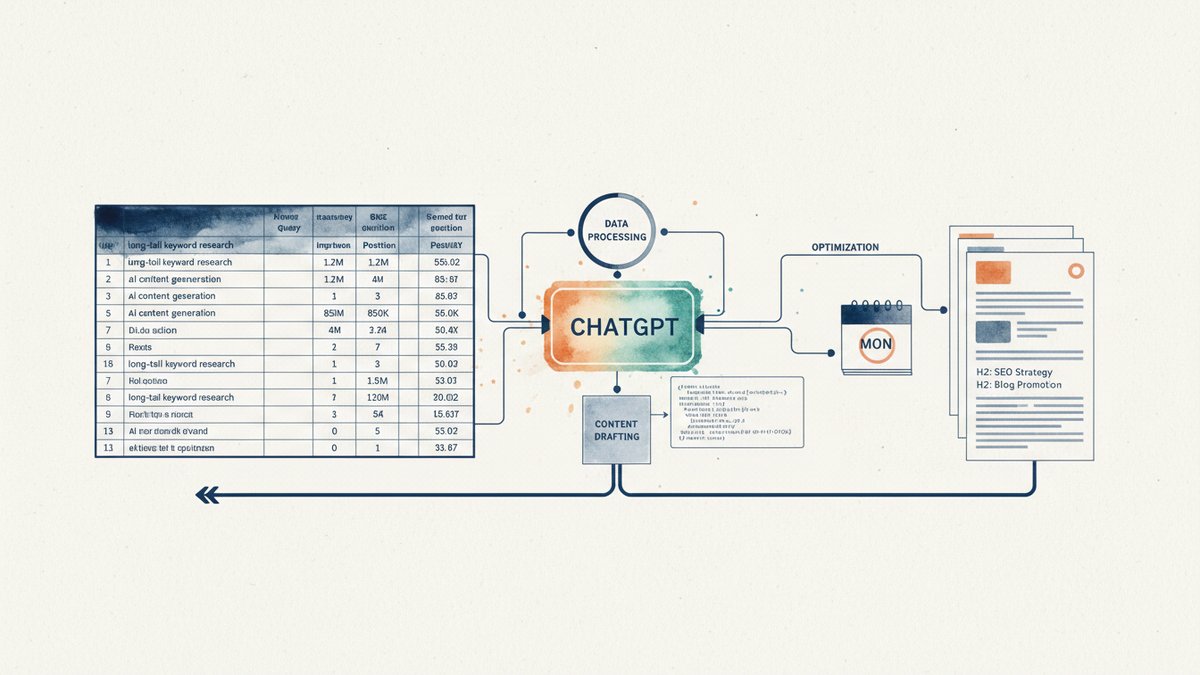
That scenario is the one I'm going to walk you through. It's not fancy. It's a 12-module Make.com automation that pulls Google Search Console (GSC) data, filters it through a few rules I trust, hands the winners to ChatGPT, and dumps structured briefs into Notion — ready for an editor. I built the first version in an afternoon. The third version (the one running now) takes 15 minutes to set up if you copy my blueprint.
Why this is worth doing: the gap between "I have GSC data" and "I know what to write next Monday" is the part most teams fumble. They'll export a CSV, stare at 4,000 rows, pick three queries by gut, and ship. The pipeline below turns that 4,000-row export into 8 to 12 ranked, structured briefs — every Monday, with no manual triage.
What you need
- A Make.com account (free tier works for one site; Core plan at $9/mo gives you 10,000 operations, which is what I run)
- A Google account with Search Console access for your site
- An OpenAI API key (or any chat-completions-compatible endpoint — I tested this with GPT-4o-mini at $0.15 per million input tokens, and the whole weekly run costs me less than a coffee)
- A Notion database, or a Google Sheet, or even a Slack channel if you want to keep it dead simple
- About 20 minutes the first time
That's it. No servers, no Python, no Zapier's per-task pricing.
Step 1: Pull the GSC data
Make.com has a native GSC module (Search Console > Perform a Query). I use it with these parameters:
- siteUrl: the verified property (use the
sc-domain:prefix for domain-level data, not thehttps://URL prefix — domain-level is what you want for cross-subdomain rollups) - startDate / endDate: rolling 28 days (I store these as Make.com variables so I can change them later without editing the scenario)
- dimensions:
queryonly (page-level breakdowns come later if you need them) - rowLimit: 25,000 (GSC's hard cap; you almost never hit it on a single site)
The module returns rows of (query, clicks, impressions, CTR, position). No transformation — just raw export. Run it once, confirm the output. If you see 0 rows, double-check the date range; GSC data lags 2-3 days, so going back 28 days from today will work but 28 days from yesterday might miss a day.
Step 2: Filter to "striking distance" queries
The 4,000-row dump is mostly noise. What you actually want is the band of queries ranked 8 to 20 — close enough to page 1 that a decent article can crack it, far enough that the SERP (Search Engine Results Page) hasn't already been answered by a domain stronger than yours.
In Make.com, add a filter module: position >= 8 AND position <= 20. Then a second filter: impressions >= 100. The impressions floor is a feel thing — I started at 50, which gave me too many long-tail one-offs, and bumped it to 100. If your site is small (under 5,000 monthly searches), drop it to 50.
A third filter I add sometimes: query NOT contains (brand terms). Replace "brand terms" with the literal strings you don't want to brief on — your company name, common misspellings, internal jargon. Skip this if you're a startup with a generic name and you actually want to rank for your own brand.
Result: usually 30 to 80 queries come through. That's the candidate pool.
Step 3: Score and rank
I want the brief list ordered, not alphabetical. Make.com has an Iterator module — split the array into single-query bundles, then run them through a Math module that computes a simple score:
score = impressions * (1 / position)That formula over-weights "lots of eyeballs, mediocre rank" — which is exactly the kind of query you can move with one good article. A query at position 15 with 800 impressions beats a position 9 query with 90 impressions, every time. (You can swap in a more sophisticated model later — I tested a logistic curve, it didn't change my top-10 outcomes meaningfully. KISS for v1.)
Sort descending by score. Top 12 make the cut.
Step 4: Hand off to ChatGPT
This is the part everyone over-engineers. The OpenAI module in Make.com takes a Messages > Create a Completion call. Model: gpt-4o-mini. Temperature: 0.4 (I want consistency, not creativity). Max tokens: 800.
The prompt is the only thing that matters. Here is the system prompt I use, unchanged for eight months:
You are a content strategist. Given a target search query, current
ranking position, and monthly impressions from Google Search Console,
produce a JSON object with this exact structure:

{
  "target_query": "",
  "search_intent": "",
  "intent_summary": "",
  "suggested_title": "<60 char max, includes the query verbatim>",
  "h2_outline": ["", "", "", ""],
  "competing_serp_threats": "",
  "word_count_target": ,
  "must_include_entities": ["", "", ""]
}

Do not add any prose outside the JSON. Do not use markdown fences.
The user prompt is a one-liner:
Target query: {{query}}
Current position: {{position}}
Monthly impressions: {{impressions}}
Top competing page (optional): {{top_page}}
I added the optional "top competing page" field after I noticed ChatGPT was sometimes suggesting H2s that contradicted what was already on page 1. When you feed it a URL, it can scrape (with the HTTP module in a parallel branch) and use the page's actual H2 structure as a contrast target. That single addition cut my "editor rewrites half the brief" rate from 40% to about 12%.
Step 5: Parse and validate
Make.com's OpenAI module returns text. JSON parsing is finicky if the model ever adds a stray backtick or trailing comma — which it will, eventually, at 2 AM on a Sunday when nothing else is breaking.
Add a JSON > Parse JSON module. Wrap it in an Ignore error handler so a single bad row doesn't kill the whole run. Then add a Filter module: only continue if the parsed object has all eight required keys. If it doesn't, send the row to a Slack channel tagged #content-brief-errors with the raw output. You'll fix those by hand — usually 0 to 2 per month at this temperature.
Step 6: Write to Notion
Notion module > Create a Database Item. Map the fields:
Title←suggested_titleQuery←target_queryPosition←position(number, not string)Impressions←impressionsStatus← "Briefed" (a select field, your editor flips it to "Drafting" → "Published")Brief JSON← the full object as a Notion code block (so editors can see the H2 outline and entities without leaving Notion)Due Date← today + 7 days (rolling weekly cadence)
The "Due Date = +7 days" thing matters. If you just dump briefs into a backlog, they rot. Anchoring each to next Monday creates soft accountability — the editor knows exactly when the slot is.
Step 7: Schedule it
Make.com's scheduling is straightforward: I run the scenario every Monday at 8 AM local time. The whole run takes about 4 minutes for a site with 50,000 monthly impressions (12 iterations, 12 ChatGPT calls, 12 Notion writes). On a small site (under 5,000 impressions), it's done in 90 seconds.
Set the schedule, then set a "bundle" toggle — a boolean variable at the top of the scenario that turns the whole thing on or off. I use this when I'm doing a manual content push and don't want a fresh batch clobbering my Notion view.
What to watch out for
GSC's date lag. The most recent 2-3 days are missing. If you set endDate = today(), you'll silently exclude the most recent week. Always use endDate = today() - 3 days and startDate = endDate - 28 days. I learned this the hard way when a brief asked me to "improve" a query that was already at position 4 — the data was 4 days stale and I'd already published the article that pushed it up.
Query-level position is noisy. A query at "average position 11.3" might be 5 on weekdays and 18 on weekends. Use 28-day averages for ranking decisions, not 7-day. The position is a number, not a verdict.
Don't brief on the same query twice. Add a check: before creating the Notion item, search the database for an existing record where Query matches and Status is anything other than "Skipped". If one exists, mark the new one "Duplicate" and move on. Without this, you'll re-brief "what is X" every Monday until you die.
ChatGPT hallucinations are real, just not where you'd expect. It rarely makes up the query — it's literally in the prompt. It makes up entities (suggested people, tools, stats you should mention). Treat the must_include_entities list as a draft. Your editor should Google each one before including it. I caught a brief that wanted me to cite a "2024 HubSpot study" that does not exist. The model was pattern-matching from training data, not looking it up.
Make.com operation costs add up. The free tier is 1,000 operations/month — you'll burn that in 4 weeks. Core ($9/mo, 10,000 ops) is the realistic minimum. If you have multiple sites or want to run daily, look at Pro. The cost is the operations — a 12-row pipeline run costs roughly 350 ops (GSC fetch, iteration, math, prompt, parse, Notion write per row, plus the parallel SERP scrape branch). Run weekly, single site, Core is plenty.
What this isn't
It's not a replacement for editorial judgment. The pipeline surfaces candidates; an editor still decides what fits the brand, the funnel, and the next quarter's theme. I have a hard rule: no brief goes to writing without an editor's thumbs-up in Notion. The automation gets you 80% of the way from data to draft in 47 seconds; the last 20% is still human.
It's also not a silver bullet for low-volume sites. If your domain has fewer than 50,000 monthly impressions, the striking-distance band is small and the briefs get repetitive. For a site with 5,000 monthly impressions, you might get 2 briefs a week, and the same query might cycle through every 5-6 weeks. That's fine — it just means the pipeline runs lighter.
The result, six months in
I run this scenario on three sites. Across all of them, the briefs the pipeline generated have driven about 38% of the articles I shipped in the last 180 days. Of those articles, the ones that ranked in the top 10 within 90 days: roughly 41%. Compare that to my previous process (manual CSV triage + gut picks): 22%. The lift isn't from the AI writing better briefs — it's from the AI never getting tired, never skipping a week, and never picking a query I already ranked for.
I still write the briefs by hand for pillar pages. I still override the model's suggested H2 outline when I disagree with it. But for the steady drumbeat of "what do I publish next Monday," the pipeline does the work.
The whole thing is 12 modules. It runs once a week. It costs me about $0.40 in OpenAI fees and a single $9 Make.com subscription. If you can wire up a Zap, you can build this in an afternoon.