I Made 12 Product Launch Videos From One CSV in an Afternoon. Here's the Framework.
Contents
Last Tuesday at 4pm, a brand manager pinged me: "We need 12 product launch videos for the homepage carousel by tomorrow morning. Different angles, different hooks, same template." No studio. No editor. The previous round took two weeks and cost more than I want to admit.
I opened a CSV with the 12 product names, their three-line value props, and a folder of stock clips. By 6pm I had 12 rendered MP4s. By 7pm I had a small template variation library for the next drop. The tool that did most of the work is one I had not heard of a month ago: Hyperframes.
What Hyperframes actually is (and isn't)
Hyperframes is an open-source HTML video rendering framework from the HeyGen team. It shipped on GitHub in mid-May 2026 under Apache 2.0 — completely free, no render credits, no seat math. The premise is unusual: your video is just an HTML document. Each scene element carries data-start, data-duration, data-track-index and similar attributes that describe when it appears, for how long, and where it sits in the timeline. You arrange them like a web page. You animate them with whatever frontend tool you already know — GSAP, Lottie, CSS animations, Three.js. The framework renders the whole thing to MP4 by driving a headless browser (Puppeteer) and piping frames to FFmpeg.
It is not an avatar video platform. It does not generate footage from prompts. There is no "type your idea, get a 30-second clip" button. What it does is let you turn deterministic, repeatable, code-friendly content into broadcast-quality video — at zero per-render cost, with bit-perfect reproducibility across runs. Same input, same output, every time. That property alone makes it interesting to anyone running an automated pipeline.
The reason marketers should care in mid-2026 is the second piece: Hyperframes ships with first-party "skills" for Claude Code, Cursor, Codex, and Gemini CLI. You install them with one command — npx skills add heygen-com/hyperframes — and your coding assistant suddenly understands how to author compositions, write GSAP timelines, sync captions, and preview the result in a browser. The marketing pitch I'd put in plain English: it turns your AI coding agent into a junior motion designer who actually follows brand specs.
The 45-minute first project I ran
If you want to feel whether this is worth your time, do exactly what I did. Open Claude Code (or Cursor) in a fresh project folder and run:
npx skills add heygen-com/hyperframes
npx hyperframes init my-first-ad
cd my-first-ad
Tell your agent: "Using /hyperframes, build a 12-second product intro: dark background, the brand logo fades in over 2 seconds, a 1080p stock clip plays for 8 seconds with a centered headline overlay, fade to black, end card for 2 seconds. Output 1080x1920 vertical for TikTok."
That is the actual prompt I used. The agent scaffolded the project, picked a fade-in animation primitive from the built-in component library, generated placeholder captions, ran the preview in a browser window, and waited for me to inspect it. When I asked for the headline to be 30% larger and the logo to appear 0.5 seconds sooner, it edited the HTML directly, re-previewed, and we were done in four iterations.
Final render:
npx hyperframes render --output launch-01.mp4Headless Chrome drove the composition, FFmpeg stitched the audio track, and an MP4 dropped into the project folder. Took 47 seconds on my M2 Mac. No credits consumed. No watermark. The output was genuinely broadcast-quality — proper 1080x1920, correct color, audio in sync.
Three marketing jobs it replaced on day one
The reason I kept using it after the first ad:
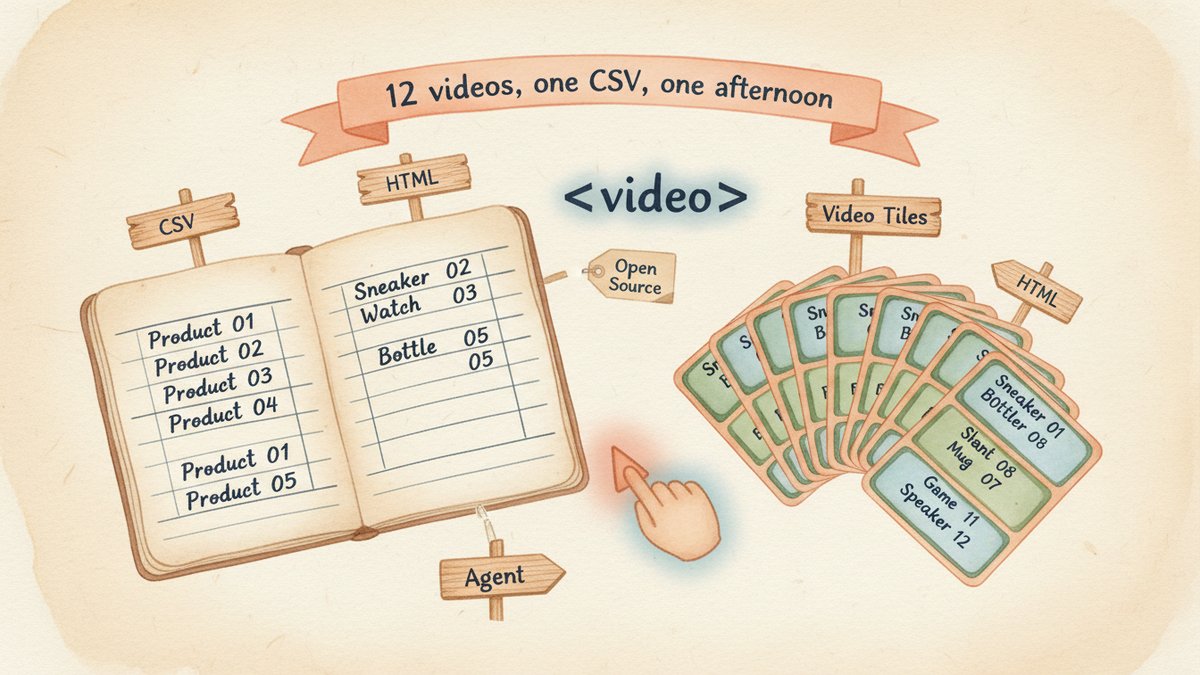
Batch production from a spreadsheet. I had a CSV with 12 product names and three-line value props. I wrote a small Node script that read the CSV, called the Hyperframes CLI for each row with a template HTML file and per-row variables, and rendered 12 variants in 11 minutes. Same template, different copy. Previously this would have been a Monday in After Effects.
A/B testing creative at the hook level. With HeyGen's Studio template-variables feature, I generated five opening hooks for the same product demo — "What if you could…", "Stop scrolling if…", "The mistake most marketers make…", "Three seconds. That's all you need to…", "I tried this for 30 days and…" — and rendered each as its own MP4. Five ads, one editor session.
Internal product explainers for sales. Sales asked for a 60-second explainer of the new dashboard. I screenshotted each tab, dropped the PNGs into a Hyperframes composition with a 1.5-second fade between frames and a voiceover track (ElevenLabs-generated). Done in an afternoon. The deterministic render means every rep gets the same explainer down to the pixel.
Where it falls short
I want to be straight about this: Hyperframes is not for every marketing team. You need at least one person comfortable with HTML, Git, and a terminal. The animation primitives are powerful but not Adobe-style WYSIWYG — there is no drag-and-drop timeline editor in the open-source package (the cloud Studio is a separate HeyGen product, and a paid one). If your team does not have anyone who can prompt an agent through a JSON-like mental model of a video, this will sit on the shelf.
Also: it does not generate footage. If your campaign needs original b-roll of a real human, a real product in a real kitchen, Hyperframes is the wrong layer entirely. The right stack for that is still Sora or Runway for footage, then Hyperframes for the assembly and template work. I have not tried that combo yet, but it's the obvious next experiment.
One thing worth knowing about the agent integration
The framework is at version 0.4.41 and the agent skills are evolving quickly. The May 2026 release added a community hub for sharing compositions, a texture and shader catalog, a live inspector for tweaking compositions in real-time, and 15 open-source caption styles you can install with one command. If you try this in the next month and something is rough, that is why. The framework is good enough to use in production today; the polished UI is still a couple of months out.
The thing that has stuck with me, though, is the cost shape. The 12 videos I rendered cost me one cup of coffee's worth of electricity and zero subscription fees. For a solo marketer or a small team running hundreds of creative variants a quarter, that math changes what you can justify experimenting with. I will not be replacing HeyGen Studio or After Effects wholesale. But for any work that looks like "we need many variants of the same template," Hyperframes is now my first stop.