Ship a Sora Product-Demo Video Ad Without a Shoot Day
Contents
A SaaS founder messaged me on a Thursday night: three :12-second product ads for a Tuesday Meta test, mid-funnel, dollar-conscious. The product was a calendar app. No agency, no time to book a crew, and an animator would chew the whole timeline. We had two working days.
By Sunday afternoon there were three finished ads in the queue. None of them touched a camera. Sora handled the moving images, ElevenLabs handled the voiceover, CapCut stitched it. Total billable hours: about five.
That outcome isn't magic — it's a workflow. Sora is wildly good at producing certain kinds of footage and stubbornly bad at others. If you know which is which before you start, a one-person team can ship a paid-media test that used to require a production day. Here's the playbook I actually run.
What Sora ships well — and what wastes your weekend
Before you write a single prompt, calibrate on what the tool can do today. As of August 2025, Sora (the standalone product at sora.com) gives Plus users 5-second 720p clips and Pro users 20-second 1080p clips, with image-to-video and storyboard tools built in. Pro is $200/month. Plus is the $20 Plus you already have.
In my use, Sora reliably nails:
- Lifestyle and context shots. A laptop on a sunny kitchen counter. A phone on a treadmill grip. A coffee cup beside a notebook. These are exactly the B-roll inserts a paid social ad needs.
- Abstract product feel. "Crisp, fast, weightless" as a mood. Liquids in motion (water, not branded soda). Particles. Lens flares. Vapor.
- Software UI in context. A blurred app on a screen the viewer is meant to feel, not read.
- Human reactions and gestures. A relieved exhale. Hands closing a laptop. A nod. A smile at a phone.
What it still botches, and where I've burned hours learning the lesson:
- Your specific product, by name, with the logo legible. Sora cannot render small text reliably. Brand names on packaging come out as wobbling glyphs. Always overlay your product render in post.
- Counting. Ask for five bottles, get four or seven. Ask for a hand with five fingers and pray.
- Brand-precise color. It'll get "muted teal" close. It will not nail your exact hex.
- Hands assembling things. Watch fingers. Knife to a tomato. A box being unboxed. Fingers still phase through objects.
- Reading a screen. Any shot meant to show the user "reading the dashboard" is a trap. The pixels will lie.
This list is the actual gating decision. If your ad's hero moment is a finger pressing a real button on real packaging, Sora is the wrong tool — book the shoot. If your ad's hero moment is the feeling of using a product, Sora wins the week.
Step 1 — Write the 6-line product card before you open Sora
The single biggest reason Sora ads come out generic is that people start prompting before they've decided what the ad is. I make myself write six lines first, on paper or in a Notion block, and refuse to open the tool until they're done:
- Product — one sentence, what it actually does, no "empowers."
- Visual identity — three adjectives plus two real-world brand references ("Notion clean + Patagonia outdoorsy").
- Promise — the single outcome the viewer should remember.
- Format — 9:16 vertical for Reels/TikTok, 1:1 square for Meta feed, 16:9 for YouTube pre-roll. Pick one. Sora can render any aspect, but the composition is different.
- Length — :06, :12, :15. Decide now because it determines your shot count.
- The shot you must land — the one frame that, if you don't get it, you don't ship.
That last line is the one that has saved me the most weekends. If you can name the must-land shot, you can decide in 30 seconds whether Sora can produce it.
Step 2 — Storyboard 3 shots, never 1
A common mistake is to ask Sora for the whole ad in one 12-second clip. Don't. Sora's temporal coherence falls apart past about 8 seconds — the kitchen turns into a slightly different kitchen, the model's shirt changes, the lighting shifts. Cut your ad into shots, generate each separately, stitch them.
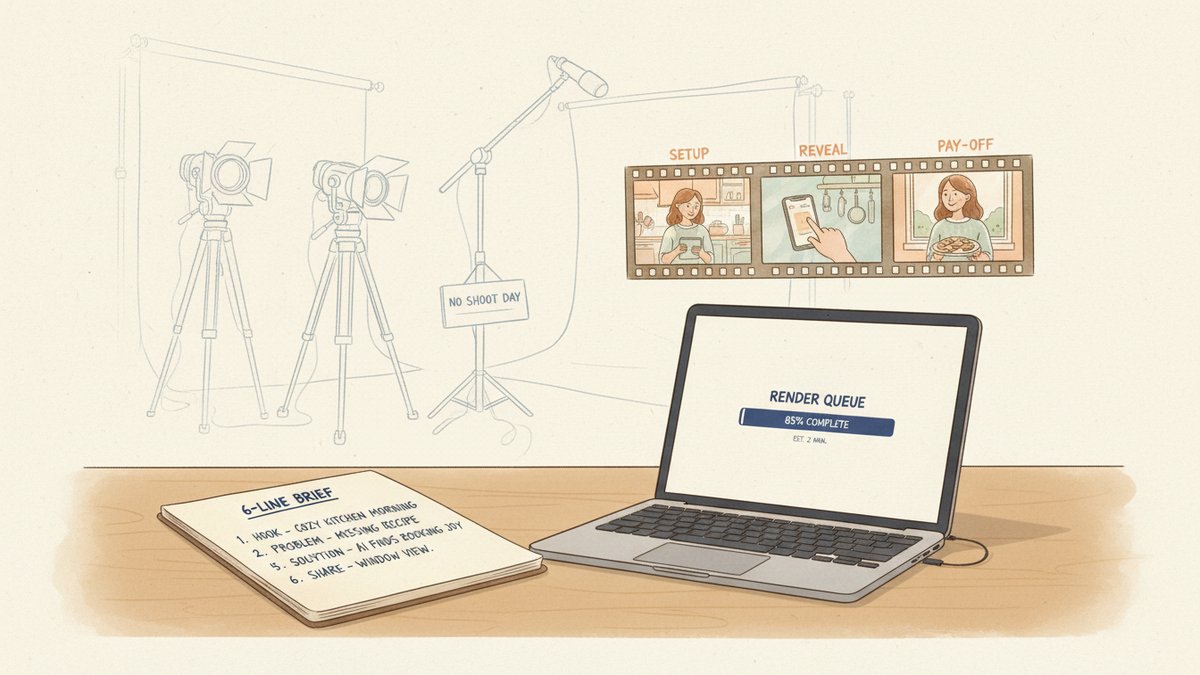
For a :12 product-demo, I use a three-shot frame almost every time:
- Setup (2–3s) — the world the viewer recognizes. The pain or the moment.
- Reveal (5–7s) — the product appears or the feature lands. This is your hero moment.
- Pay-off (2–3s) — the human after. A nod, an exhale, a closed laptop, a smile.
Each shot gets its own prompt and its own 5–10 generations until you have one that's usable. Yes, ten. Sora's hit rate for a specific mental image is maybe 1-in-6 on the first batch. Pro's higher rendering budget exists so you can keep rolling.
Step 3 — The prompt skeleton
I write every Sora shot prompt with the same four blocks, in this order. It's not a magic formula, but it gives the model the information it most often misses:
- Subject + scene — concrete nouns first. "A woman in her late 30s, wool cardigan, opening a laptop on a kitchen island. Late-morning sunlight."
- Camera — lens, angle, motion. "85mm portrait lens, slow push-in, eye-level, shallow depth of field."
- Lighting — named style. "Golden hour through a window, soft warm rim light, no harsh shadows."
- Motion verb — one. "She exhales and smiles slightly." Not "she exhales, smiles, picks up the cup, and looks out the window." Sora can do one action well. Three actions become slop.
Here's a real prompt I used for the calendar app's Reveal shot, lightly cleaned up:
Close-up of a smartphone screen face-up on a wooden desk. The screen shows a soft, blurred calendar interface with pastel event blocks (no readable text). 35mm lens, top-down angle, very shallow depth of field. Warm morning light, soft window highlights. A hand enters from the right and gently taps the screen once. Cinematic, calm, hopeful.
The "no readable text" is on purpose — it tells the model to stop trying to render letters it'll botch anyway. The overlay UI gets composited in CapCut afterwards from a real screen recording, where the text is actually correct.
A prompt that fails for the same shot:
A hand taps a phone showing the SwiftCal app dashboard and a notification pops up saying "You have 3 meetings today" and the user smiles.
That one's asking for: a brand name, a specific UI string, a notification with text, and an emotional reaction. Sora will give you four things that are each 40% right, so the whole shot is unusable.
Step 4 — The physics rules I don't break
After more rendered minutes than I want to count, I run every prompt through this checklist. If any line is true, I rewrite before I generate:
- Does it require the model to render specific text that the viewer will read? Cut it. Overlay in post.
- Does it require counting more than two of anything? Reframe to one.
- Does it require a hand to manipulate a small object precisely (open a tube, click a pen, tie a knot)? Cut it. Use a stock clip or a wider shot where the gesture is implied, not seen.
- Does it require two simultaneous actions? Pick one.
- Does it require the camera to do two motions (push-in AND pan)? Pick one.
Every one of those rules is a scar. The hand-tying-a-shoelace shot took me eleven generations before I gave up and used a wider "tying a shoelace, off-screen, focus on the runner's face" framing. That one came in clean on attempt two.
Step 5 — Use the storyboard tool for the hero shot
Sora's Storyboard view (the timeline editor on sora.com) is underused. For the must-land shot, build a storyboard with two or three keyframes describing the start, middle, and end state. The model will interpolate motion between them with much more control than a pure text prompt.
For the calendar app's pay-off shot, my storyboard was:
- Keyframe 1 (0s): "Woman looking down at her phone, slight smile starting."
- Keyframe 2 (2s): "Woman looking up out the window, full warm smile, phone lowered in lap."
Two keyframes, one motion arc, much higher hit rate than the same shot prompted as a single text instruction. This is the closest thing Sora has to "direction."
Step 6 — The 30 minutes after Sora
Three clips don't make an ad. The post-Sora steps that turn raw generations into a paid-media-ready file are short but non-negotiable:
- Cut on the beat. Drop the three shots into CapCut or Descript. Trim each to its working length. Sora's first and last 0.5 seconds are often jittery — chop them.
- Composite real product UI. Take a real screen recording or product render. Mask in over the Sora-rendered "fake UI" frame in the Reveal shot. This is the difference between an ad that looks fake and one that looks real.
- Voiceover. One line per shot, max. Generate it in ElevenLabs (the "Sarah" or "Dorothy" voice for warm; "Adam" for confident) or record on your phone. Bad VO will kill a good visual instantly.
- Captions. Burn captions for the 85% of viewers who scroll on mute. Use a real caption track, not Sora-rendered text.
- Music. A 5-second Epidemic Sound or Artlist bed under the whole thing. Dip it 6dB under the VO.
- Export. 1080p, MP4, H.264, correct aspect for the platform. Don't ship a 4K master to Meta; the recompression will smear it.
That's roughly a 30-minute pass once you've got the three Sora clips in hand. Faster on the second ad of the day, because you reuse the music and the VO style.
When to pay for a real shoot anyway
Sora doesn't kill the production day. It kills the unnecessary production day. The shoots still worth booking, in my budget logic:
- Hero launch creative where the brand wants you to see the actual product, packaging, and unboxing experience. The first ad a customer sees of a flagship product should be real.
- UGC testimonial-style ads where authenticity is the entire conversion driver. Sora-generated "real users" will read as fake to anyone who's seen ten Sora ads (we're getting there fast).
- Regulated industries — supplements, financial products, anything where "is the depiction accurate?" might be asked by a regulator. AI footage adds risk you don't need.
- Anything you'll cut down for 30 spots over six months. Per-asset, real footage is cheaper if you'll re-use it that many times.
For everything in the middle — the constant churn of testing creative angles on Meta, TikTok, YouTube Shorts — Sora is now the right starting point. The clip cost is the cost of your subscription, not a day rate.
The real shift isn't "AI replaces video production." The real shift is that the prep meeting has collapsed. The afternoon used to start with a director, a creative lead, a producer, and a deck about why we needed three angles of the same hero shot. Now the afternoon starts with one person, a notebook with six lines of brief, and a render queue running in the background. Sora doesn't make the shoot day obsolete. It makes the bottleneck before the shoot day obsolete. That's the actual budget line item changing.