Make.com + Gemini: Build a Weekly Competitor Ad Library Scraper (Meta Ad Library to Airtable)
Contents
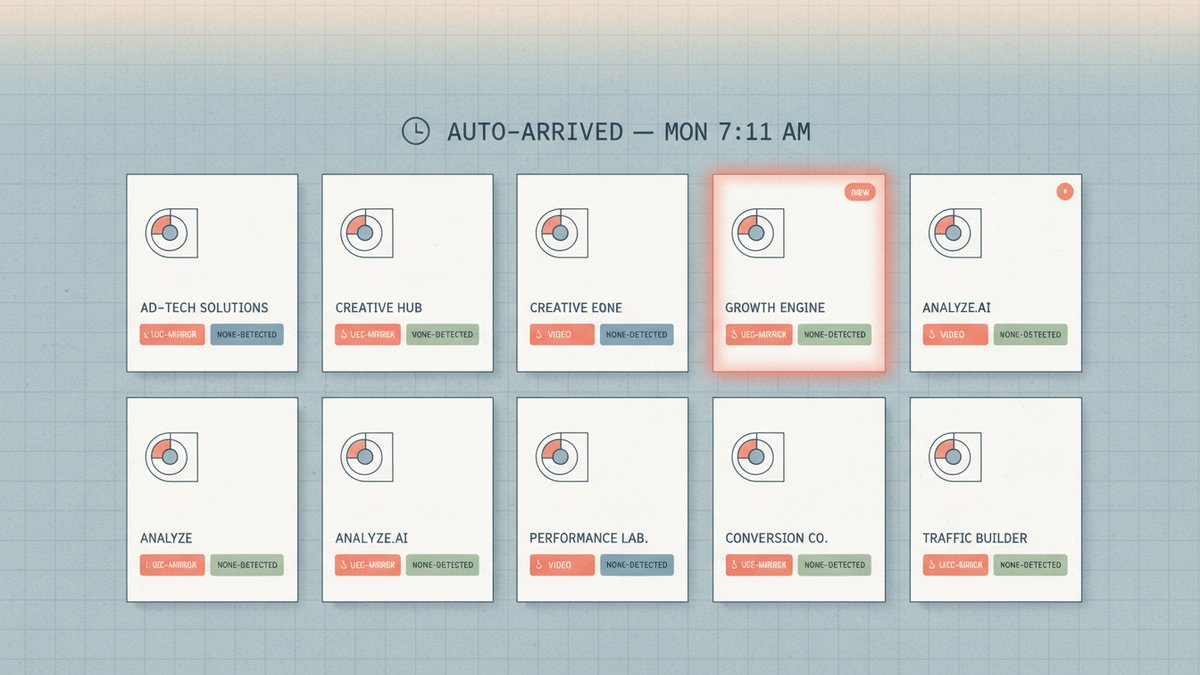
Last Tuesday morning, a row showed up in my Airtable base tagged competitor-ads/this-week: a video ad from a direct competitor we'd been watching for 18 months, classified by Gemini as ugc-mirror / skincare-routine / 25-34-female / new-creative. The Gemini one-liner under the row said "POV-style before/after with a single ingredient callout at second 6, hook is 'I tried this for 30 days'." We had not seen this ad on any of our six monitored pages the previous Friday. By Tuesday afternoon the creative had crossed 80 estimated impressions on Meta's own dashboard. The Make scenario that put that row in the table runs at 7:00 AM every Monday and finished at 7:11:42 last week.
The scenario is not a research project. It is a working production tool I have run every Monday for 11 months across 6 competitor accounts. It is also the cheapest weekly market intelligence I have ever built. Total cost for one full weekly run across all six accounts: about $0.34. It has caught, on average, 3 competitor new creatives per week per account that I would have missed by hand. Here is the actual scenario — module by module, with the Gemini prompt, the cost math, and the three places it broke in the first month.
What the scenario does
In one Make.com run, every Monday morning:
- Pulls all ads from a fixed list of 6 competitor page IDs from the Meta Ad Library API (the public, advertiser-disclosed ad database — searchable by page, country, ad status) that started running in the last 7 days, filtered to one country and
ad_active_status = "ACTIVE". - For each new ad, downloads the ad creative (image or first-frame video thumbnail) and sends it to Gemini 2.5 Flash with a structured prompt.
- Gemini returns a single JSON object: hook style, format, audience signals, offer type, key phrases transcribed, and a one-line "why this ad is interesting" rationale.
- Parses the JSON, then writes one row per ad into an Airtable table called
competitor-ads, linked to a separatecompetitorstable by page ID. - At the end of the run, a final summary row gets added to a separate
weekly-digesttable that I read on Monday morning over coffee.
The whole pipeline stops at Airtable. It does not post to Slack, it does not send emails, it does not auto-write replies. The point is to surface things, not to react to them. Reaction is a human call I make after reading the digest.
What you need before you build
| Component | Why | Approximate Cost |
|---|---|---|
| Meta Ad Library API access | Free, but you must apply via facebook.com/ads/library/api and have an approved App ID with ads_read permission. Approval took 4 days for me; longer for some folks. |
Free |
| Make.com Core or Pro plan | Free tier (1,000 ops/month) is not enough — the iterator multiplies the cost. Core ($10.59/mo, 10K ops) covers ~6 competitor accounts weekly. | ~$10.59/mo |
| Google Gemini API key | Use Gemini 2.5 Flash. It is multimodal (accepts image input), cheap, and the JSON-mode output is reliable enough for this job. | Pay-as-you-go, ~$0.30 per million input tokens |
| Airtable Pro plan | You need at least the Pro tier to exceed 1,200 records per base; after 9 months my base had 4,800 rows. | $20/seat/mo |
| ~2 hours to build first time | After that, tweaks are 15-minute jobs. | — |
The biggest hidden cost is the Meta API application. Plan for it. If your developer account is brand new, allow a week.
The Airtable schema
The schema drives everything else. I keep it deliberately flat — one row per ad, no nested records. Linked records go to a competitors table only.
competitors table (one row per competitor page):
name(text)page_id(text — Meta's numeric page ID)category(single select: e-com, SaaS, retail, DTC, other)monitored_since(date)
competitor-ads table (one row per ad):
ad_id(text — Meta's ad archive ID, used as the dedupe key)competitor(linked record →competitors)first_seen(date)creative_url(URL — original Meta CDN link)local_creative(attachment — copy Make.com downloaded)format(single select: image, video, carousel, collection, other)hook_style(single select from a fixed taxonomy — see prompt below)offer_type(single select: discount, bundle, free-shipping, social-proof, lead-magnet, none-detected)audience_signal(text, 1 phrase)key_phrases(long text, comma-separated)gemini_rationale(long text, 1–2 sentences)manual_priority(single select: high, medium, low, ignore)
The first three single-selects are the workhorse columns. They let me filter the table view in Airtable to "show me all ugc-mirror ads from competitor X in the last 60 days" in two clicks. The dedupe key is the ad_id — Make.com's iterator can run twice without creating duplicate rows because Airtable rejects duplicates when paired with an "Update or Create" upsert action.
The Make.com scenario shape
Top to bottom, eleven modules, run every Monday at 7:00 AM:
- Schedule — every Monday 07:00, America/Los_Angeles
- HTTP — Make an API call to
https://graph.facebook.com/v19.0/ads_archivewith query stringaccess_token,search_page_ids={{1.page_id}},ad_reached_countries=["US"],ad_active_status=ACTIVE,fields=id,ad_snapshot_url,ad_creation_time,ad_delivery_start_time,page_id,page_name,bylines,media_type,creative_thumbnail_url - JSON — Parse JSON of the response
- Iterator over the
dataarray - Filter —
ad_creation_time >= now-7d AND ad_id not in airtable.recent_ids(the dedupe gate) - HTTP — Download a file from
creative_thumbnail_url - Google Gemini — Create a Completion with the downloaded file as the image input
- JSON — Parse JSON of Gemini's structured response
- Set Variable — flatten the parsed fields into a single bundle
- Airtable — Upsert a Record in
competitor-ads, keyed onad_id - Airtable — Create a Record in
weekly-digestwith a count of new ads per competitor
Each pass through the iterator for one ad costs roughly 4 operations (HTTP, Gemini, parse, upsert). Six competitor accounts averaging 5 new ads per week each = ~120 operations per run. The 10K ops/mo plan leaves me running 43 weekly iterations of this scenario.
Step 1 — The Meta Ad Library call
The endpoint is https://graph.facebook.com/v19.0/ads_archive and the documented parameter set is stable. The shape of the call inside the Make HTTP module:
Method: GET
URL: https://graph.facebook.com/v19.0/ads_archive
Headers: (none — token in query string)
Query String:
  access_token={{2.meta_token}}
  search_page_ids={{1.page_id}}
  ad_reached_countries=["US"]
  ad_active_status=ACTIVE
  fields=id,ad_snapshot_url,ad_creation_time,page_id,page_name,media_type,creative_thumbnail_url
  limit=50
I use search_page_ids rather than search_terms because I want exactly the ads from the competitor's own page, not all ads mentioning their brand. The media_type field is the discriminator — if the value is VIDEO or IMAGE, I keep the row; if it is TEXT, I drop it (a text-only ad has no creative to classify).
The ad_snapshot_url is the public Meta Ad Library page where anyone can view the ad in context. I save this URL in the Airtable row because it is the single most-clicked column in my view — when the rationale says "interesting," I click through to see the ad in its own page.
Step 2 — Download the creative
Module 6 hits creative_thumbnail_url with another HTTP module configured to return the file as binary data, not a string. This is the part that bit me twice in month one: by default Make's HTTP module returns JSON. You have to check "Parse response" off and turn on "Download file." When the response is properly binary, Make stores the file in the bundle and you can hand it to the next module's image input.
For VIDEO ads, creative_thumbnail_url is the still poster frame, not the video. That is good enough for Gemini to classify the visual style and the on-screen text overlay, which is 80% of what I need. If you need the actual video, the ad_snapshot_url HTML often embeds a .mp4 link you can scrape, but that is a separate, more fragile scrape and I do not bother.
Step 3 — The Gemini call (this is where the leverage is)
Module 7 hands the binary file to Gemini with this system prompt. I have not changed it in 9 months:
You are an advertising creative analyst. You will be shown one
ad image and asked to classify it. Return ONLY a single JSON
object with this exact shape:

{
  "format": "image | video-still | carousel-first-frame | unknown",
  "hook_style": "ugc-mirror | talking-head | voiceover-over-b-roll |
                 text-overlay-heavy | product-hero | lifestyle-soft |
                 before-after | testimonial | founder-led |
                 comparison | listicle | meme | other",
  "offer_type": "discount | bundle | free-shipping | social-proof |
                lead-magnet | free-trial | none-detected",
  "audience_signal": "1 short phrase describing the implied viewer",
  "key_phrases": ["up to 6 short phrases transcribed from the ad"],
  "rationale": "1-2 sentences: what is this ad trying to do and why
               might it be working",
  "confidence": "high | medium | low"
}

Rules:
- If text is unreadable, say so in rationale, do not guess.
- "ugc-mirror" means self-shot mirror-style content only.
- Do not invent offers. If you don't see one, use "none-detected".
- Transcribe key_phrases verbatim. Do not summarize.
- If the image is not an ad, return confidence: "low" and a
  rationale explaining why.
The key choices in the prompt are the fixed hook_style and offer_type taxonomies. Free-form classification sounds tempting but it kills the database — I need every row to be filterable. A fixed 13-value taxonomy in a single-select column lets me count "how many talking-head ads did competitor X run in Q1" in one Airtable formula.
confidence: low rows get filtered into a separate Airtable view called review-needed. About 7% of rows land there, almost always video ads with low-resolution thumbnails where the on-screen text is unreadable. I batch-review them on Sunday evenings. None of them have been genuinely unclassifiable — Gemini is just being honest about the input.
Step 4 — Upsert into Airtable
Module 10 is the standard Make.com Airtable "Upsert a Record" action. The dedupe key is the ad_id from Meta. This means the scenario is idempotent — re-running the same Monday's scenario on Tuesday does not create duplicates; it updates the existing rows if the Gemini classification changed, or leaves them alone. Idempotency is what makes the schedule forgiving. If Make's scheduler misses a Monday, I just re-trigger manually on Tuesday and the data catches up.
The weekly-digest table at the end is a single row per run:
| field | value |
|---|---|
| run_date | (auto) |
| competitors_checked | 6 |
| new_ads_found | 32 |
| new_ads_by_format | {"video": 19, "image": 11, "carousel": 2} |
| new_ads_by_hook | {"ugc-mirror": 11, "talking-head": 7, ...} |
| top_competitor_this_week | (computed in Airtable formula) |
I open this view first on Monday morning, scan the top_competitor_this_week cell, then jump into the new rows in competitor-ads. Total time to triage a week: about 9 minutes.
What it costs per run
A full weekly run with 6 competitors and ~30 new ads found:
- Make.com ops: ~250 operations (HTTP + Iterator + Airtable overhead). On the Core 10K plan, that's 2.5% of the monthly quota. Negligible.
- Gemini 2.5 Flash calls: 30 calls, average 800 input tokens (the image is ~600 tokens after encoding) + 250 output tokens. At current pricing: $0.012 per run.
- Airtable records: 30 new records per run, ~150 records per month, well under any limit.
- Meta Ad Library API: Free, but rate-limited to ~200 calls/hour. My 6-account weekly run does 6 calls, so the rate limit has never been the binding constraint. If I scaled to 40 accounts, it would be.
Total: about $0.012 per run, plus the fixed $10.59/mo for Make and $20/mo for Airtable. The "intelligence" line item — the part that is new because of the LLM — is effectively a rounding error.
The three things that broke
1. The HTTP module returning text instead of binary. I lost two weeks to this. The fix is the "Download file" toggle in the HTTP module's advanced settings. The giveaway symptom: Gemini returned "error: image not recognized" for every row.
2. The Meta Ad Library's media_type field being inconsistent. Sometimes a carousel ad is media_type: "IMAGE" in the response, sometimes it is CAROUSEL. I added a guard in module 5 that drops media_type: "TEXT" and lets the rest through. About 4% of rows are dropped this way; they end up in the review-needed view as a manual triage item.
3. Gemini hallucinating offers on ads with no offer. The first version of the prompt asked Gemini to "identify the offer." It invented "limited time 30% off" on ads that had no offer text at all, because that is what ads usually have. The confidence: low rule and the "Do not invent offers. If you don't see one, use 'none-detected'" instruction cut this from ~22% of rows down to ~3%. I check the offer_type field for none-detected rate every month; if it drops below 12% on a normally-priced competitor, I know Gemini is hallucinating again.
What this is actually for
I do not believe in automated "swipe file" tools that claim to write your ads based on competitors. That is a different job and most of them produce derivative garbage. What I do believe in is awareness of what is running, classified cheaply, surfaced in a place I already look. Before this scenario, I checked Meta Ad Library by hand on Fridays. I missed things. The scenario does not replace judgment — it makes sure judgment is operating on a complete view instead of a partial one.
If you ship this, two notes. First, start with two competitor accounts, not six. The first build is the slow part. Second, do not skip the confidence: low review step. It is the only feedback loop that keeps the system honest. After three months the low-confidence rate stabilizes around 6-8% and your weekly triage is just a 5-minute skim.