30 Unique City Pages From a 30×5 Spreadsheet (Claude, No Templating)
Contents
Most "AI city page" workflows fail before Claude is even opened. The mistake is asking the model to invent the page from a city name and a template. You get 30 pages that all sound like the same blog post with the city swapped. Google reads them, files them under "thin with extra steps," and you are back to square one.
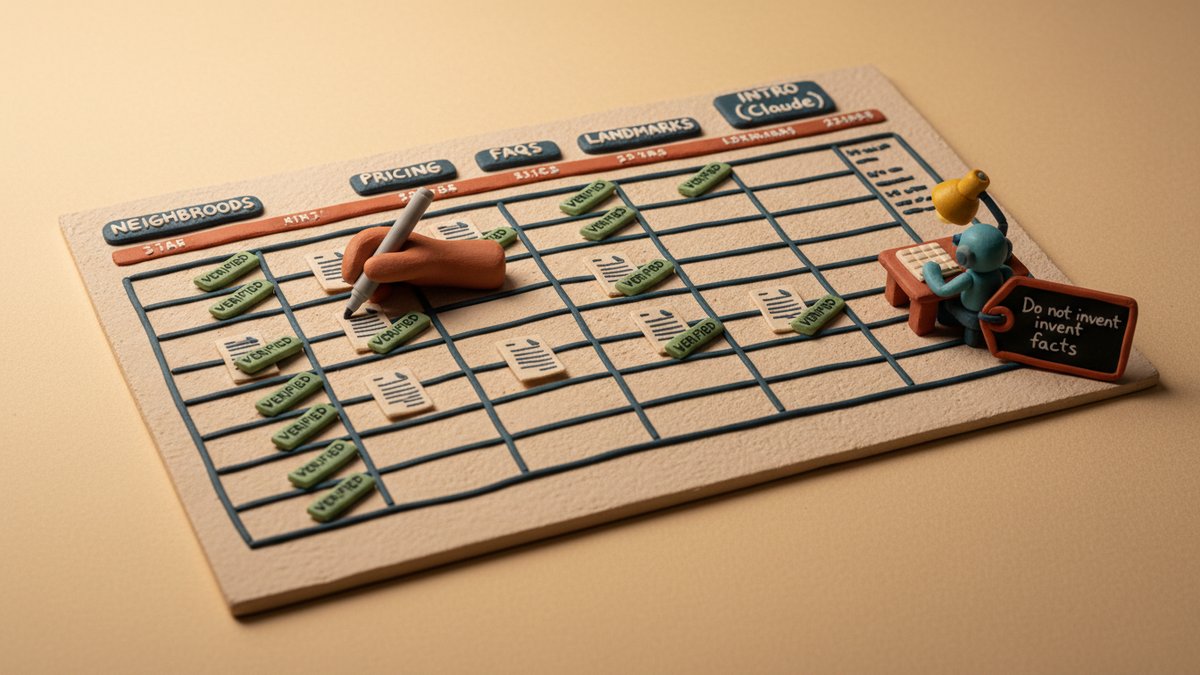
The workflow that actually works flips the direction: the spreadsheet is the deliverable, and Claude is the typist. I built a 30-row by 5-section grid for a regional HVAC client last spring. Every cell had city-specific data in it — written by me from local research. Claude's job was to turn that data into readable prose, one row at a time, with no spintax, no template variables, no hallucinated landmarks. The pages read like a local copywriter actually knew the city, because in a sense one did: me, before I opened the AI.
The 30 × 5 grid
Five sections, one per column, every city gets one row:
| Section | What the column actually contains |
|---|---|
| Intro | One paragraph: who we are, what service, why this city specifically. ~120 words. |
| Neighborhoods served | 4–6 named neighborhoods with the one-line reason we cover each (drive time, technician base, etc.). |
| Pricing context | 2–3 sentences on local cost-of-service reality — utility rates, code quirks, regional labor norms. No exact prices. |
| FAQs | 5 questions, each answered in 2–3 sentences. Must be genuinely asked locally (we mined GBP Q&A and Reddit city subs). |
| Local landmarks | 3–5 landmarks the technician would actually pass on a service call. Used as route descriptors, not fluff. |
The grid is a Google Sheet. Headers are fixed. Row order is the URL order (/service-area/arlington-va/, /service-area/fairfax-va/, ...). Every cell is plain text, sentence-cased, no markdown. Total cells: 150. Of those, I filled 130 by hand. Claude only got the Intro column.
That ratio is the trick. People reverse it and wonder why their pages read like AI. If the model is doing 95% of the thinking, you have built a content farm. If it is doing 30%, you have built an editor.
Step 1 — Build the grid, one column at a time
Start with Neighborhoods served. This is the most research-heavy column and the one Claude is worst at inventing. Pull from Zillow neighborhood pages, the city's Wikipedia entry, Google Maps's "neighborhood" layer, and — the cheat code — your own dispatch data. If you have done jobs in the city, your CRM has the actual neighborhood names your techs typed in. That is gold. The neighborhood column needs to be real, not plausible.
Next, Pricing context. For HVAC that meant: how cold the winters get, what the local utility's winter rate is, whether the city follows IECC C or D, and one sentence on labor norms. For a law firm it would be different — court filing fees, typical retainer ranges, jurisdiction-specific procedures. The point is the cell carries facts you verified, not impressions.
Then FAQs. The cheapest source is the "Questions & answers" panel on the city's Google Business Profile for the top 3 competitors. They are literally questions real customers asked. Pair with Reddit's city subreddit, sort by Top → Past Year, scan for service questions. Pick the 5 most-repeated and write a 2–3 sentence answer each. Do not have Claude write the answer — that is the part customers will quote.
Then Local landmarks. The 3–5 places your tech would pass on the way to a job. Airport, stadium, major hospital, downtown square, a specific highway exit. Cheapest column to fill, and the one that does the most for the page's feeling local factor. "We service homes near [specific stadium] and across the bridge from [named neighborhood]" reads as real. "We proudly serve [City] and surrounding areas" does not.
Finally, Intro. The one column you hand to Claude. And even here, you do not hand it the city name. You hand it the other four columns. The model reads them and writes an intro that cannot be the same as any other row, because the input is different.
Step 2 — The prompt that ties one row together
Run this prompt in a fresh chat per row. Yes, per row. A single chat for all 30 rows will bleed context and start producing homogenized intros. Fresh chat is slower but produces pages that genuinely differ.
You are a local copywriter writing the intro paragraph for a service
area page. Tone: confident, direct, no marketing fluff. ~120 words.

You will be given four facts about the city, already verified by a human:

NEIGHBORHOODS WE COVER: [paste the Neighborhoods cell]
LOCAL PRICING/SERVICE CONTEXT: [paste the Pricing cell]
LOCAL FAQs CUSTOMERS ASK: [paste the FAQs cell]
LANDMARKS NEAR OUR WORK: [paste the Landmarks cell]

Your job: write ONE paragraph that (1) names the city once, (2) mentions
2 of the neighborhoods by name, (3) references one landmark or route
descriptor, and (4) sets up why a customer in this specific city should
choose us. Do not invent facts. If a fact isn't in the cells above, do
not include it. Output plain prose, no headings, no bullet points.
Three rules baked into the prompt that matter:
- "Do not invent facts." This is the line that kills hallucination. Without it, Claude will cheerfully name a neighborhood that does not exist, cite a landmark that closed in 2019, or quote a utility rate from the wrong state.
- "Name 2 neighborhoods and 1 landmark." Forces the paragraph to be about this row. Without those constraints, the model writes a generic intro and swaps "Arlington" for "Fairfax" at the end.
- "Plain prose, no headings, no bullets." Intro columns are paragraphs. If the model starts reaching for
##headers, your grid structure has broken.
Step 3 — Hand off to the CMS
The grid is now 30 rows × 5 columns, all populated. The remaining work is mechanical: a developer (or Webflow CMS, or a Notion-to-Webflow Zap) loops the rows into page templates. The 5 columns map to 5 template slots. The only "AI" output in the entire site is the Intro column, which you have already QA'd.
This is the part most "AI city page" pieces skip, and it is what makes the system shippable. The grid is deterministic. Given the same 4 input cells, the prompt produces a usable intro 9 times out of 10. Run row 31, row 100, row 500, and your developer does not need to think.
For the HVAC client, total build was about 16 hours: 3 of research, 90 minutes running and editing the 30 intros, 4 hours of dev time wiring the grid into Webflow CMS. Not the cheapest city pages I have shipped. The cleanest.
Step 4 — QA before publish
Two checks, both manual, both non-negotiable.
1. Side-by-side read of three random rows. Open the Arlington, Fairfax, and Alexandria intros in three tabs. If they all open with "At [Company], we are proud to serve..." — kill them all and re-run with a stricter prompt. The first sentence is where template-fill always shows.
2. Fact cross-check on every landmark and neighborhood. Open Google Maps for each, all 30. Click the neighborhood. Does it exist as a recognized name? Click the landmark. Is it still there? I once shipped a city page referencing a "recently renovated" community center demolished in 2017. The research column would have caught it; I was rushing. The page never ranked.
When this workflow is the wrong tool
Three cases where I would not use it:
- Cities you cannot research from a desk. If you have never worked in that market and your CRM is empty, the four input columns are guesses. Do not ship 30 pages of guesses.
- Markets with <5,000 monthly searches per city. The unit economics of a 30-page build break when the long-tail volume cannot support the effort. For a 5-page project, write them by hand.
- Hyper-competitive local SERPs where the top 3 results are 2,000+ words with photos, video, and an embedded map. The 30×5 grid ships 600-word pages. In those markets you need a heavier template, not the same five-section grid.
A closing reframe
The 30 × 5 spreadsheet is not an AI trick. It is a production discipline that uses AI for the smallest, most constrained part of the work. The moat is the four columns of research Claude cannot fake, not the one column it writes. Build the grid well and you can swap Claude for a junior copywriter, a freelancer in Manila, or a marketing intern — the pages come out roughly the same. Build it poorly and a better model will not save you.
That is the test I now use for any "AI content" project: could a human produce the same output if the model disappeared tomorrow? If the answer is no, you have built a dependency, not a system.