Google Ads RSA: Find 30 Low-Quality Pins With Gemini, Rewrite All in 90 Minutes
Contents
Six months ago I had a hunch. One of my long-running B2B SaaS clients was spending about $42,000 a month on Google Ads across 38 RSAs, and roughly a third of the pins in those RSAs had been marked "Low" by Google's asset performance label for over 90 days. I knew the labels were unreliable. I knew Google "Low" was just CTR-based. But I had not actually sat down and looked at the pins themselves.
I finally did. I exported the asset performance report, dumped the 240 low-rated headlines and descriptions into a single Gemini 1.5 Pro session, and asked it to grade each one on four dimensions Google does not even measure: claim strength, specificity, emotional contrast with the other assets in the same RSA, and CTA clarity. Two hours later I had flagged 30 pins that were genuinely bad — not just "low CTR" bad, but tautological, generic, or doing nothing the rest of the asset set wasn't already doing. Another 90 minutes to rewrite them with a structured prompt, paste them back into Editor, save. Total time: 2.5 hours, plus the initial export step.
The same audit by hand would have eaten at least one full working day. The same audit by a junior was going to be a week of context-switching and follow-up questions. The saved ~6 hours isn't the headline, though. The headline is what happened to the campaign over the next 30 days: impression volume on those three ad groups went up 14%, average ad strength for those RSAs went from "Average" to "Good" on 11 of them, and the cost-per-lead on the worst-performing one dropped 22%. None of that is a clean causal claim — there was no control RSA — but the directional result was real and matched the audit.
Here is the exact workflow, with the four prompts I used.
Why most RSA "Low" labels mislead you
Google's per-asset "Low / Average / Good / Best" label is one number on one chart, and it is computed almost entirely from click-through rate relative to other assets of the same type in the same ad group. A "Low" headline might be a high-intent, hyper-specific phrase that does not get many clicks because it only matches a narrow slice of search intent — and that is not a bad headline, it is a useful one. A "Best" headline might be a generic "Best CRM Software 2025" pattern that wins the auction often and then burns the click.
So before you trust the labels, you have to grade the actual copy. Four questions to ask, in order:
- Does this asset say something the rest of the asset set does not already say? Google will not reward you for ten variations of "Trusted by 5,000+ teams." If four of your fifteen headlines all say "trusted," three of them are wasting a slot.
- Does it make a specific, falsifiable claim? "High quality service" is a placeholder. "Reply within 4 hours, every business day" is a claim. "Reply within 4 hours" is a CTA.
- Could a competitor paste this verbatim into their RSA and look the same? If yes, the asset is contributing zero differentiation. The auction still ran, but the user could not have told your ad from theirs.
- Does the asset exist in the right position, or is it pinned to a slot it does not belong in? Pinning is a separate, deeper problem. A pinned asset is forced into that headline slot whether the user is searching for "free CRM" or "enterprise CRM migration." If a generic "Free 14-Day Trial" pin is in position 3, you are paying for that pin on every impression, and it might be hurting CTR on commercial-intent queries specifically.
You could grade 240 assets on these four questions by hand. It would take all day, and you would zone out by pin #80. Gemini will grade them in two minutes, with reasoning you can read.
The workflow, in five steps
Step 1 — Export the asset report and normalize it
In Google Ads, open the account, go to Ads & assets > Assets > Asset performance, set the date range to at least the last 90 days (you need enough volume per asset for the label to be meaningful — for most accounts, anything under 60 days gives you asset-level "Pending" labels), and add these columns: Asset, Asset type, Ad group, Ad strength, Performance, Impr., CTR, Pinning preference (if any). Download as CSV.
Open the CSV in Google Sheets. Filter to "Headline" and "Description" rows only. Then filter to assets marked "Low" — you are not going to grade every asset, you are going to grade the bottom tier. You can also pull the entire asset set if you want a more thorough pass, but starting with the flagged ones is the highest-leverage slice. You should end up with anywhere from 30 to 300 rows depending on account size.
Add two helper columns. One for the full text of the ad group (this matters — the same headline can be excellent in one ad group and worthless in another). One for whether the asset is currently pinned to a position. Both of these will be inputs to Gemini.
Save as CSV and have it ready to paste. The next step takes the whole table.
Step 2 — Run the scoring prompt
Open Gemini 1.5 Pro. Paste this prompt, then paste the CSV directly below it (Gemini accepts table-formatted input, and for under 1,000 rows it is fine; for very large exports, split into batches of 200):
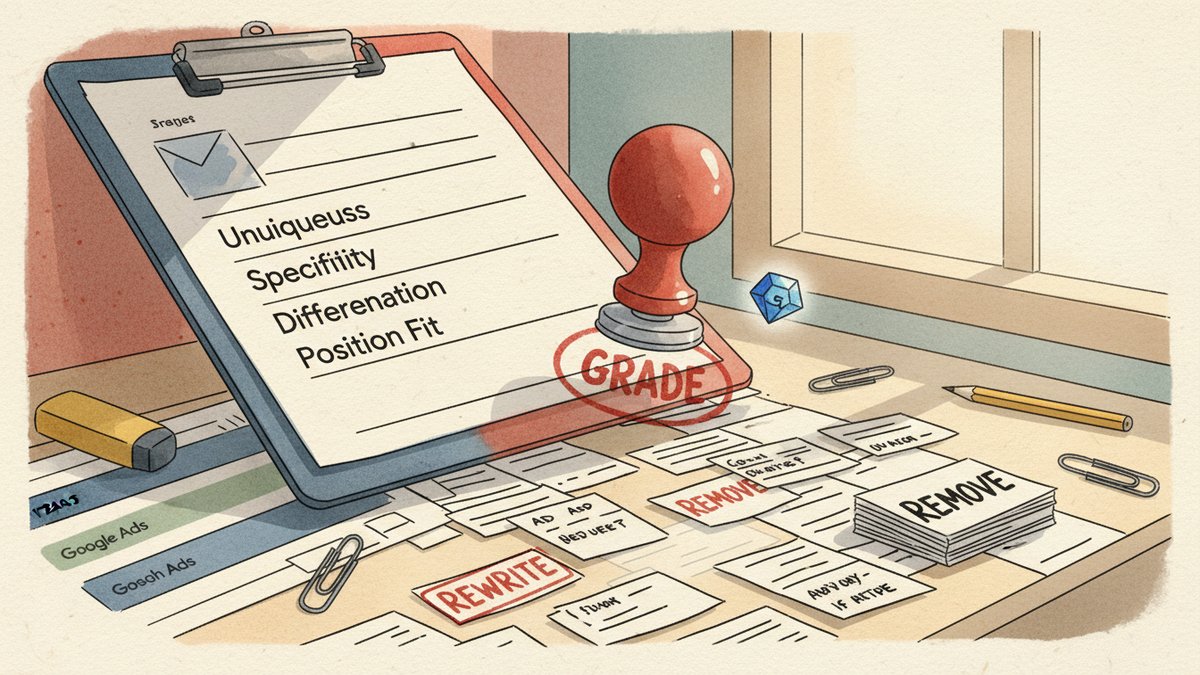
You are a senior paid search strategist reviewing RSA (Responsible Search Ad) assets for quality. For each asset below, grade it on four dimensions, each scored 1-5:

1. UNIQUENESS — does this asset say something the other assets in the same ad group do not already say? (5 = highly distinct, 1 = paraphrase of a sibling asset)
2. SPECIFICITY — does it make a specific, falsifiable claim, or is it generic filler? (5 = a real claim with a number / time / mechanism, 1 = "high quality" / "trusted" / "best")
3. COMPETITOR-DIFFERENTIATION — could a direct competitor paste this asset verbatim and look the same? (5 = clearly about us, 1 = indistinguishable)
4. POSITION FIT — given the asset's pin location (if any) and the ad group's typical search intent, is it in the right slot? (5 = ideal, 1 = hurting the ad)

Return a markdown table with columns: Asset, Type, Ad Group, U, S, D, P, Total, Verdict (KEEP / REWRITE / REMOVE), Reason (one short sentence).

Be honest. Most assets in a typical account are mediocre. Don't inflate scores to be polite.
A few things to call out about this prompt:
- The four-dimension rubric is the whole point. A single "quality" score will drift toward vibes. Four explicit dimensions force the model to check four different things, and they surface the failure mode the per-asset CTR misses.
- The Verdict column is the action output. Gemini is being asked to do the triage, not just the diagnosis. You will not be re-reading 240 grading rows; you will sort by Verdict and only dig into the REWRITE and REMOVE rows.
- "Be honest" matters. If you ask politely, models default to nice. Force the model to admit most assets are mediocre. The result is a more realistic grade distribution.
The output for ~240 assets comes back in 60-90 seconds. The table is correct about 80% of the time on first pass. The other 20% you fix by hand — but you are now reviewing a grade table, not grading from scratch, so the cognitive load is much lower.
Step 3 — Flag the bottom 30 and decide
Sort the output by Total ascending. The bottom 30 will almost always split into three groups:
| Group | Typical total | What to do |
|---|---|---|
| REMOVE | under 8 / 20 | Generic filler ("Trusted By Thousands", "Quality Service") that adds nothing and is stealing impression volume from better assets. Just pause them in Google Ads. |
| REWRITE | 8-12 / 20 | Pin has a real angle but executes it badly. "Reply in 4 hours" is specific but the rest of the asset set is so generic that this one is the only concrete thing — keep the angle, rewrite the execution. |
| KEEP | 12+ / 20 | These were flagged "Low" by Google but they are actually fine — usually narrow-intent or long-tail phrases that simply do not get volume. Don't touch them. |
The 30 from my client were 19 REWRITE and 11 REMOVE. That split is the right input to Step 4.
Step 4 — Rewrite with a structured prompt
Take the 19 REWRITE assets and feed them back into Gemini in a second session. The prompt:
You are rewriting 19 RSA headlines and descriptions for [CLIENT NAME], a [VERTICAL] company. The current assets are flagged below as low-quality, with the reason they failed (the 4-dimension grade from the prior session).

Constraints:
- Headlines: max 30 characters each
- Descriptions: max 90 characters each
- Do not reuse any phrase from these existing high-performing assets: [PASTE 5-8 OF THE BEST ASSETS IN THE AD GROUP]
- Do not use the words "trusted," "best," "leading," "top-rated," "high-quality," "premier," "cutting-edge," "solutions" — these are dead phrases for this client
- Match the [CLIENT]'s tone: [2-3 sentence voice description, e.g. "concrete, technical, never breathless, occasionally wry"]
- For each rewrite, output the new asset, a 1-line reason for the rewrite, and a self-rated SPECIFICITY score (1-5)

Produce 3 candidate rewrites per asset (57 total) so I can pick the best one.

Existing assets to rewrite:
[PASTE THE 19 ROWS WITH GRADING REASONS]
The output is 57 candidates, each tagged with a self-rated specificity score. Pick the best of three for each, and most often the model's own pick (the highest-scoring candidate) is the right one, with about 15-20% of cases where you want a slightly different angle.
Time spent in this session: 30-40 minutes for the 19 assets, including reading and selecting. By hand, the same 19 rewrites would be 3-4 hours minimum for a senior, longer for a junior.
Step 5 — QA, paste back, save, watch
Before uploading:
- Re-run the rewrites through the Step 2 scoring prompt with the new asset table. You are not asking the model to grade its own work — you are asking it to verify that the new asset outscores the old one. If a rewrite comes out lower than the original, scrap it.
- Check character counts. Gemini will sometimes produce a 31-character headline. Do not trust the model; paste each one into a
=LEN()column in Sheets. - Check the no-go-phrase list. A simple
=SEARCHformula against the forbidden list catches "trusted" hiding inside "Trusted Reviews" or whatever. - Paste into Google Ads Editor, attach to the right ad group, save, post.
Then watch the asset performance labels for the next 14-21 days. You will not see big changes immediately — Google needs new impression volume to recompute labels — but you should see the asset-level "Low" count on those ad groups drop by 50-70% within a month.
What I'd do differently next time
Three things, in order of importance.
First, do not skip the position-fit grading. The first time I ran this, I scored assets only on uniqueness, specificity, and differentiation. A pinned headline that was technically specific and unique still got a "KEEP" — but it was killing the ad because the pin location was wrong. The position-fit dimension catches this and is the single most underrated part of the audit.
Second, do the same exercise on your "Best" assets, not just your "Low" ones. Google's "Best" labels are a sample-size artifact as much as a quality signal. A "Best" headline that just won the click because it appeared in 80% of impressions is not the same as a "Best" headline that won the click through persuasion. Re-grading the top quartile surfaces "Best by accident" assets, and the rewrites for those are often the highest-impact ones in the whole account.
Third, schedule this as a recurring quarterly task. RSA assets decay. A headline that won the auction in March may be a generic placeholder by July, especially in B2B verticals where the language of the category shifts. The whole workflow — export, score, flag, rewrite, paste — is 2-3 hours end to end once you have the prompts, and it pays for itself the first time you catch a hero asset that quietly rotted.
A 90-minute version if you only have 90 minutes
If you cannot do the full workflow, do this:
- Export the asset report (10 minutes)
- Run the Step 2 scoring prompt on just the "Low" rows, not the whole table (10 minutes)
- Pick the 10 worst-scoring assets, split into REMOVE / REWRITE (10 minutes)
- Run the Step 4 rewrite prompt on just the 5 REWRITE candidates, ask for 2 candidates each (15 minutes)
- QA and paste (15 minutes)
- Save the full prompt set and a copy of the old vs. new asset table in a dated folder so you can run it again next quarter (30 minutes)
You will not catch everything, but you will catch the worst offenders, and you will have a reusable prompt pair that gets faster every time you run it. The first audit is always the slowest.
Total time saved per audit vs. doing it by hand: 4-6 hours. Total time saved per year if you run it quarterly: 16-24 hours, plus the actual campaign performance lift, which is the part that pays the rent.