50K-URL Screaming Frog Crawl Analysis with Claude Code: A Prioritized Fix List in 4 Hours
Contents
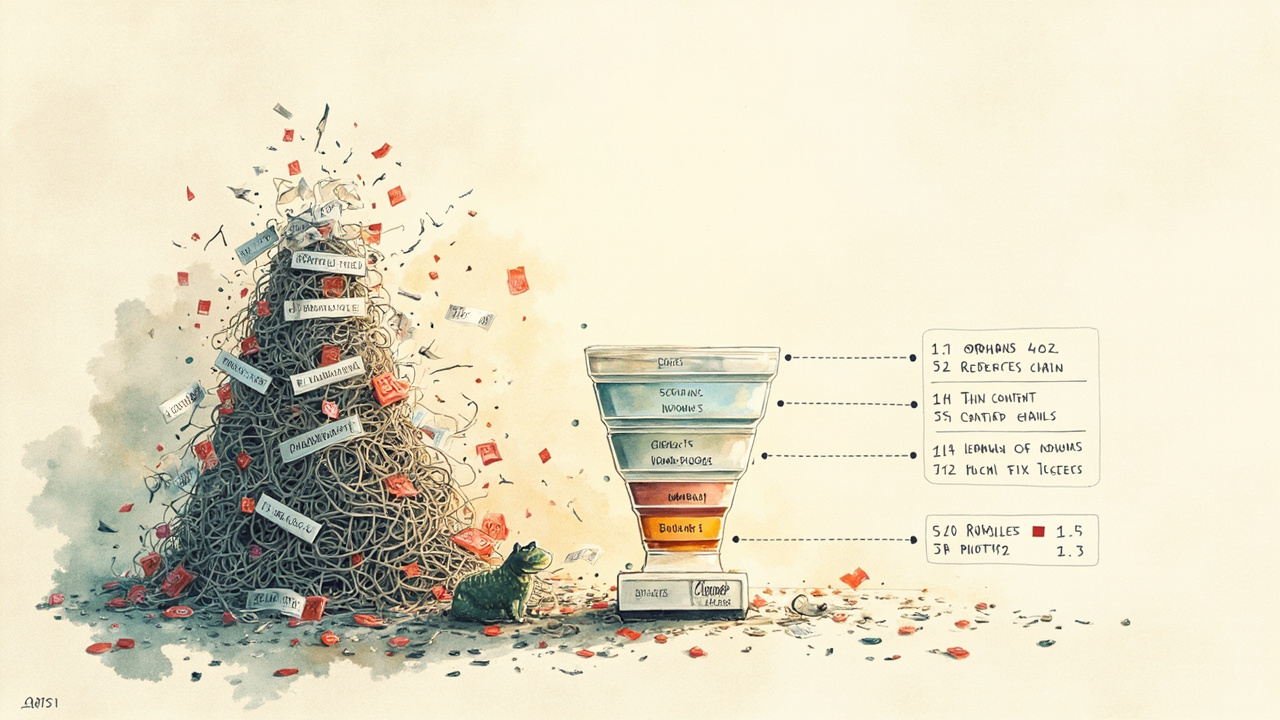
The crawl finished sometime around 1 a.m. on a Tuesday. 50,247 URLs. The internal tab was already a graveyard of "noindex" tags, the redirect chains ran four deep on a 2018 URL restructure nobody remembered, and a /blog/ folder from 2016 was still being crawled. The client had been told by their last agency that the site was "basically fine, just needs more content." I sat there for ten minutes, looked at the Issues tab showing 14,000 orphan pages, and realized no human was going to triage this in a working week.
So I didn't. I exported every tab the audit needed, opened Claude Code, and let it do the thing I would have done badly and slowly: turn 50,000 rows of crawl noise into a prioritized fix list the developers could actually pick up Friday.
Here's the exact workflow. It's reproducible, takes about four hours end-to-end, and outputs a Markdown file the engineering team can split into Jira tickets by the following Monday.
Why Not Just Use the Screaming Frog UI
If you have a 500-URL site, the answer is: use the UI. Filter the Issues tab, eyeball the warnings, fix the obvious stuff. Done.
At 50,000 URLs the UI actively works against you. You can filter for "Orphan Pages" and stare at 14,000 rows. You can sort by word count and see 9,000 thin pages. You can sort by redirect hops and see chains going five deep. The information is all there, but the cognitive load of holding 50K rows in your head while manually triaging is what makes big-site audits take two weeks. Most agencies solve this by charging for two weeks of "audit time" and shipping a 200-page PDF. The PDF sits in a Google Drive folder forever. Nothing changes.
The alternative: treat the crawl as data, not as a report. Export the tabs. Run scripts against the exports. Force the analysis to be explicit about what it considers a problem and what it doesn't. The output is a list, not a PDF, and the list is sorted by impact.
Step 1: Configure the Crawl for the Questions You Actually Want Answered
Before you hit "Start," turn off the things that will pollute the export. Most of the 300+ "issues" Screaming Frog can flag are irrelevant for a prioritized fix list.
Crawl settings that matter for a 50K site:
- Crawl Limit: set to 50,000 or higher. Default 500 is a non-starter.
- Crawl subdomains: include www, cdn., blog. if they're part of the same property.
- Check Images / CSS / JS: turn off for the first pass. You're not doing a Core Web Vitals audit. You're finding structural problems. Re-run with these on later for the perf pass.
- Crawl Linked XML Sitemaps: on. This is the only way to find URLs Google knows about that you don't link to internally — the real orphan list.
- Respect robots.txt: off, for now. You want to see what's blocked, not pretend the blocked stuff doesn't exist.
- Render: JavaScript rendering off for the first pass. It triples crawl time. Run a second crawl with JS rendering on for the content-quality pass.
Run the crawl. On a 50K site it takes 30-90 minutes depending on server response. Go get coffee. The crawl saves itself to a database file automatically in v23+; you don't need to "save" anything explicitly.
Step 2: Export Every Tab You'll Need as CSV
This is the part most people skip. They export the Internal tab and call it a day. You need the cross-tab data to actually find cannibalization and orphan clusters.
In the Bulk Export menu (top menu, not the per-tab export button), check these:
- Internal: All — the master list, with status code, title, H1, H2, word count, internal links in/out, readability.
- Internal: HTML — same as above, filtered to HTML only (no images, CSS, JS).
- Response Codes: Redirection (3xx) — all redirect URLs, with the redirect target and the chain length.
- Response Codes: Client Error (4xx) — all 404s and 4xx.
- Page Titles: Missing / Duplicate / Over 60 Characters — three separate exports.
- Meta Description: Missing / Duplicate / Over 155 Characters — three more.
- H1: Missing / Duplicate / Multiple — three more.
- H2: Missing — one.
- Content: Thin (under 200 words) — one.
- Inlinks: All Inlinks to URLs with 4xx Response — this tells you which pages are linking to broken URLs, not just that they exist.
- Inlinks: All Inlinks to URLs with 3xx Redirection — same idea for redirects.
- Orphan URLs (under Reports > Export, or filter the Internal tab to "No Inlinks" and export). This is your orphan list.
- Sitemap URLs (under Reports > Sitemaps) — every URL Google knows about that you've declared in your XML.
That's roughly 15 CSVs. Put them all in one folder called crawl-export-2025-08-14/. Name them with the date suffix so the next crawl doesn't overwrite them. Now you have the raw material.
Step 3: Hand the Folder to Claude Code
Open a terminal, cd into the folder above the export folder, and start Claude Code. Tell it the structure and the goal.
A prompt that works:
I have a Screaming Frog crawl of a 50K-URL e-commerce site exported to
crawl-export-2025-08-14/. The CSVs are:internal_all.csv,internal_html.csv,redirects_3xx.csv,errors_4xx.csv,titles_*.csv,meta_*.csv,h1_*.csv,thin_content.csv,inlinks_4xx.csv,inlinks_3xx.csv,orphan_urls.csv,sitemap_urls.csv.I want you to write Python scripts (using pandas) that produce a single prioritized fix list with five sections: (1) orphan pages worth reclaiming vs. worth removing, (2) redirect chains to flatten, (3) thin content to consolidate or remove, (4) cannibalization clusters where two or more pages target the same primary keyword, (5) on-page hygiene (missing/duplicate titles, meta, H1). Each finding should have a URL, the reason, the recommended action, and a priority score from 1 (critical) to 5 (nice-to-have). Output a single
fix-list.mdat the end.
Claude Code will scaffold the scripts, run them, and iterate when it finds edge cases. You'll see a plan in the terminal, then a series of python3 analysis_orphans.py runs. Don't interrupt the first pass. Let it surface what it found, then read the output with a human eye before you push back.
Step 4: The Four Buckets That Actually Matter
A 50K-URL audit has a lot of issues. Most of them don't matter. Here's the bucketing logic I use, in priority order.
Bucket 1: Orphan Pages with Traffic Potential
Orphans aren't a uniform problem. An orphan is "a page that exists on the site, returns 200, but has zero internal links pointing to it." That includes 14,000 auto-generated tag pages from a 2014 WordPress install, and it also includes a 4,000-word pillar post that was linked from a single 2019 newsletter email and then forgotten.
The script needs three signals: (a) is the URL in the orphan list, (b) is the URL in the sitemap, and (c) does the URL have any external backlinks (load a separate Ahrefs/Semrush export for this). The output is two CSV segments:
- Reclaim — orphans with at least one external backlink OR with sitemap inclusion OR with non-zero GSC (Google Search Console, 谷歌搜索控制台) impressions in the last 90 days. These are pages Google is sending traffic to, but humans can't find through your navigation. They need internal links added within 30 days.
- Prune — orphans with no backlinks, no sitemap inclusion, and no GSC traffic. These are dead weight. Add a
noindexor 410 them.
On a typical 50K audit the reclaim list runs 50-200 URLs. The prune list runs in the thousands. Don't let anyone tell you to "just keep them" — they're draining crawl budget (the number of pages Googlebot will crawl on your site in a given window).
Bucket 2: Redirect Chains
A chain of 3+ redirects is a real problem. The user's browser makes a request, the server responds 301, the browser follows to the next URL, gets another 301, follows again, gets a 200. Each hop is a 100-300ms round trip. On mobile, a 5-hop chain can add 1.5 seconds of latency. Googlebot follows 5 hops, then gives up — so any equity passing through a 5-hop chain dies at hop 5.
The script reads redirects_3xx.csv and inlinks_3xx.csv, joins them on the source URL, and identifies chains. For each chain, it finds the final destination and reports the inlink count per hop. The fix list shows: "Chain: /old/2018/sale → /new/sale → /sale/2024 → /promo → /promo/summer. 1,847 inlinks point to /old/2018/sale. Update all 1,847 inlinks to point directly to /promo/summer and remove intermediate redirects."
The number of 1,847 is why this matters. A chain of 4 hops with 1,800 inlinks is one Jira ticket that fixes 7,200 unnecessary requests. That's the kind of fix a developer loves because it's measurable.
Bucket 3: Thin Content
Screaming Frog's "thin" filter (default under 200 words) is conservative. For most 50K e-commerce sites, the real thin content threshold is higher — under 300 words for category pages, under 500 for blog posts. The script joins thin_content.csv with the internal inlinks count and GSC impressions, then applies the threshold per page type (detected by URL pattern: /product/, /category/, /blog/, /tag/, /author/).
The output flags three things:
- High-impression thin pages — under 500 words but 1,000+ monthly GSC impressions. Google is sending traffic to something that doesn't earn it. Either expand the content to 1,200+ words or merge it into a stronger page with a 301.
- Zero-impression thin pages — under 300 words, 0 GSC impressions, 0 backlinks. These are pure waste.
noindex, 410, or delete. - Boilerplate thin pages — thin pages that all share the same template signature (e.g., 200 nearly-identical
/tag/[city]pages from a defunct local-SEO play). Consolidate into a single dynamic page or remove the entire section.
Bucket 4: Cannibalization
This is the trickiest of the four. Cannibalization isn't always a problem — sometimes two pages can rank for the same keyword and both get traffic. The real signal is: two pages target the same primary keyword, one ranks top-3, the other ranks 8-20, and they swap positions every time Google recrawls. That's a fight that's costing both pages.
The script can't see GSC position data unless you feed it in. Export the GSC "Pages" report filtered to the URLs in the crawl, then export the "Queries" report, and join them on URL. The script clusters pages by primary keyword (extracted from the page title with a small keyword-extraction function — Claude will write this, usually using a simple TF-IDF (Term Frequency–Inverse Document Frequency, 词频-逆文档频率) or YAKE-style approach), and flags clusters of 2+ pages where the same keyword is the top GSC query for both.
The fix list shows the cluster, the page that should win (typically the one with more inlinks, more content, older publish date), and the page that should be consolidated (301 to the winner) or differentiated (rewrite to target a different intent).
Step 5: The Scoring System
Without a scoring system, "high-impression thin page with 5 inlinks" gets the same attention as "redirect chain with 1,800 inlinks at hop 4." The developer works the list top-down and never reaches the 1,800-inlink chain.
The score is a simple 1-5 with explicit weights:
| Score | Meaning | Action timeline |
|---|---|---|
| 1 | Critical: 1,000+ inlinks, 5-hop chain, or 10K+ monthly impressions on a 4xx | This sprint |
| 2 | High: 200-1,000 inlinks, 3-hop chain, or 1K-10K impressions on a thin page | This sprint |
| 3 | Medium: 50-200 inlinks, 2-hop chain, or cannibalization with one clear winner | Next sprint |
| 4 | Low: under 50 inlinks, single-hop redirects, or cannibalization with no clear winner | Backlog |
| 5 | Trivial: hygiene issues (missing meta descriptions, etc.) | If time |
The score is computed by the script, not by a human. That makes it reproducible — you can rerun the audit in 60 days and the same issue scores the same way.
Step 6: The Output
The output is a single fix-list.md with one section per bucket, sorted by score, then by inlink count. Each finding looks like:
### [Score 1] Redirect chain: /old/2018/sale/ → /sale → /sale/2024 → /promo/summer
- Inlinks to first hop: 1,847
- Final destination: /promo/summer
- Recommended action: Update all 1,847 inlinks to point directly to /promo/summer. Remove intermediate 301s.
- Owner: Web team (1 Jira ticket)
- Estimated crawl-budget recovery: ~7,200 redundant requests/month
This is the artifact the engineering team works from. No PDFs. No "audit findings presentation." Just a Markdown file with priority-sorted tickets, each with a URL, a reason, a recommended action, an owner guess, and a measurable outcome.
What Claude Code Got Wrong the First Time
The first run of the script I described above made three mistakes worth knowing about.
First, it treated every orphan as a "reclaim" candidate because the Ahrefs export I gave it only had URLs with backlinks, and it was a left-join, not a left-anti-join. The list of "reclaims" included 2,000 pages that had zero backlinks, just because they were present in a different table. Always use explicit join logic and verify the cardinality.
Second, it didn't handle URL-encoded characters in the redirect target column. A target like /category/women%27s-shoes was being matched against /category/womens-shoes and counted as a broken chain. The fix is a .str.replace('%27', "'").str.lower() normalization step in the script, but you have to think to ask for it.
Third, it used word count as the sole signal for thin content, which flagged a few hundred deliberately-short landing pages (Black Friday sale pages, contact pages) as thin. The fix was a URL-pattern allowlist: if the URL matches /sale/, /contact/, /shipping/, /returns/, ignore the thin-content flag.
None of these are deal-breakers. They're all the kind of thing a 30-minute second pass catches. But it's the difference between shipping the analysis to the client on Wednesday and shipping it on Friday.
The Actual Lesson
The mistake I keep seeing in big-site SEO audits isn't that the analyst missed the redirect chains or the orphan pages. The Screaming Frog UI surfaces all of it. The mistake is that the analysis stops at "here are 50,000 issues" and never gets to "here are 12 things to fix this sprint." The agency ships a 200-page PDF, the client nods, and nothing changes for six months.
The Claude Code workflow doesn't make the analysis smarter. It makes the analysis finish. It takes the 50K-row crawl and forces it through four buckets, a scoring rubric, and a single Markdown file. The actual SEO judgment — what counts as thin, what counts as cannibalization, what deserves a score of 1 — still lives in the analyst's head. Claude Code just removes the part where a human has to sort 14,000 rows by hand and gives them back the four hours they would have spent doing it.
If you're auditing a 50K-URL site and you don't have a workflow like this, the audit will take two weeks. With it, the audit takes four hours and ships in a form the dev team can actually use. That's the difference.